A magnetic selfie mirror exists because of one awkward fact about phones: the good camera points away from you. Every self-portrait forces a choice between the better sensor you cannot see through and the weaker one you can, and a small clip-on mirror is a simple, mechanical way to stop having to choose.
This guide explains what the accessory actually does, how to position it, why lighting matters more than any camera specification, and how to handle the mirrored image it produces. The Ultra Magnetic Selfie Screen Mirror listed at WLD Store for shoppers in Saudi Arabia is used as the example throughout, described only from what its listing states.
Why a magnetic selfie mirror exists at all
On most phones the rear camera system is the one that receives the engineering attention. It typically has a larger sensor, more resolution and more capable optics than the front-facing camera, which is why a photo of a friend usually looks better than the one you take of yourself moments later in the same light.
The obstacle has never been the camera; it has been the framing. Shooting with the rear camera means the screen faces away from you, so you are guessing at composition, angle and whether your eyes are open. A magnetic selfie mirror solves this the old-fashioned way, by giving you something to look at while the better lens does the work.
It is worth being clear about what this is not. A magnetic selfie mirror adds no electronics, no software and no processing. It is a passive optical accessory, which is exactly why it works with any handset regardless of brand, operating system or age, and why there is nothing to charge, pair or update.
Content creators picked the idea up quickly for practical reasons rather than novelty ones. Anyone recording regularly wants the better camera, and anyone recording alone needs to see the frame. A magnetic selfie mirror is one of the few accessories that addresses both at once without adding weight or complexity to a bag.
What makes a good magnetic selfie mirror
There is less to a magnetic selfie mirror than to most accessories, which means the few details that exist carry all the weight. Four things separate one worth carrying from one that ends up abandoned in a drawer.
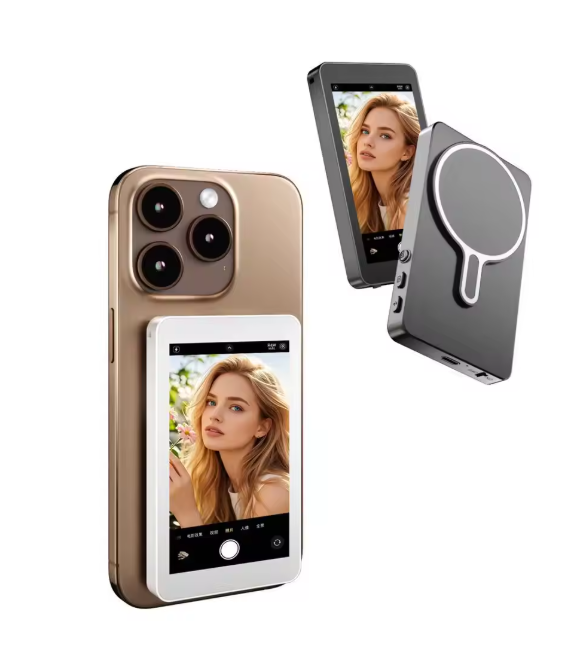
Attachment and hold
The mounting on a magnetic selfie mirror has to be firm enough to stay put while you move the phone, and quick enough that you will actually bother using it. Magnetic attachment does both, which is the appeal of the design. Check how a magnetic selfie mirror behaves with the case you actually use, since thickness affects magnetic hold, and check that it can be repositioned without a fight once it is on.
Mirror quality and size
A mirror is only as useful as the image it returns. A small mirror shows a small part of the scene, which is fine for checking your face but unhelpful for framing a background. A larger surface makes composition easier but adds bulk. This unit is described as slim and lightweight, and that balance is the main thing a magnetic selfie mirror is judged on.
Compatibility across phones
The listing states compatibility with all smartphones, which is the natural advantage of an accessory with no electronics in it. There is no pairing, no app and no minimum operating system version. The only real compatibility question with a magnetic selfie mirror is physical: whether your particular case and camera layout let it sit where it needs to sit.
Portability
An accessory that is not with you is not useful, and this is where slim designs win. The listing describes something that slips easily into a pocket, which is the difference between an accessory used regularly and one left at home. If a magnetic selfie mirror needs its own pouch and a plan, it will be forgotten on exactly the day you wanted it.
The WLD Store pick: Ultra Magnetic Selfie Screen Mirror
Here is what the WLD Store listing states about this magnetic selfie mirror for shoppers in Saudi Arabia. Nothing beyond the listing itself is claimed here.
- Category: Electronics
- Brand: WLD
- Type: a magnetic clip-on mirror for smartphones
- Function: reflects the rear camera view so you can take front-facing quality selfies
- Compatibility: works with all smartphones
- Design: slim and lightweight, slips easily into a pocket
- Intended users: content creators and anyone taking regular self-portraits
- Market: available across Saudi Arabia
- SKU: WLD-KSA-0071-(KD-KD0202)
Images, variants and current availability for this magnetic selfie mirror are on the Ultra Magnetic Selfie Screen Mirror product page, where orders are completed through secure checkout.
Setting up a magnetic selfie mirror
Getting a magnetic selfie mirror positioned right takes a couple of minutes once, and then it becomes automatic. Do it somewhere with good light and a wall you can practise against.
- Clean both surfaces first. A smeared lens or a dusty mirror softens every shot, and neither is obvious on a phone screen.
- Fit it with the case you normally carry. Testing a magnetic selfie mirror on a bare phone tells you nothing about how it will behave in daily use.
- Check the camera view before shooting. Take one test frame and confirm the mirror itself is not intruding into the picture.
- Learn the offset. What you see in the mirror and what the lens records are close but not identical, so a few practice shots teach you the small correction needed.
- Set a timer or use a volume-button shutter. Reaching for an on-screen button moves the phone at the exact moment you want it still.
- Practise at arm’s length and on a stand. Both are useful, and they need slightly different positioning.
Once positioned, leave it alone. Repeatedly adjusting a magnetic selfie mirror between shots means relearning the framing each time, and consistency is what makes a series of photographs look like they belong together rather than like a set of separate attempts.
Lighting matters more than the camera
Switching to the rear camera improves the raw image, but light is what actually determines whether a photograph looks good. These principles apply whatever equipment you use.
Face the light, do not stand in front of it. A window in front of you lights your face evenly; the same window behind you turns you into a silhouette. This single change improves more photographs than any accessory purchase.
Avoid overhead light directly above. A ceiling light straight overhead casts shadows into the eyes and under the nose. Moving a step forward, so the light comes from slightly in front, softens all of it.
Soft light flatters, hard light exposes. Bright midday sun creates hard-edged shadows. Open shade, an overcast sky or the area just inside a doorway gives a much gentler result with a magnetic selfie mirror or without one.
Watch for reflections in the mirror itself. A bright light behind you can bounce off the mirror surface and make it hard to see. Turning fifteen degrees usually clears it completely.
Understanding the mirrored image
A magnetic selfie mirror reverses left and right, and that has a few practical consequences worth knowing before you wonder why something looks odd.
What you see while framing is a reflection, so text on clothing, logos and backgrounds appear the wrong way round in the mirror. This is normal and does not necessarily mean the captured file is reversed. Take one test shot and check the result before assuming anything about how a magnetic selfie mirror handles it.
If a saved image genuinely comes out reversed, almost every phone gallery and editing app includes a flip or mirror tool that corrects it in one tap. This is worth checking early rather than after a long shoot, since a whole set of photos with backwards text is tedious to fix afterwards.
Reversal also affects how you judge your own appearance. People are used to seeing themselves in mirrors rather than as others see them, which is why an unflipped photograph can look subtly unfamiliar. Neither version is wrong, and a magnetic selfie mirror simply gives you the mirror view while you compose.
Getting sharp shots: distance, stability and the shutter
Sharpness is where self-portraits most often fall down, and the causes are usually mechanical rather than photographic. Holding a phone at arm’s length means holding it unsupported, and small hand movements at the moment the shutter fires are what soften an otherwise good frame.
Distance is the first lever. Very close range exaggerates whatever is nearest the lens, which is rarely flattering, and it also pushes some cameras towards the edge of their focusing range. Stepping back slightly and letting a magnetic selfie mirror handle the framing gives a more natural perspective than pushing the phone towards your face.
Stability is the second. Bracing an elbow against your body, resting the phone on a shelf, or propping it against a bag all reduce movement considerably. Anything that turns an unsupported arm into a supported one improves consistency more than changing any setting in the camera app.
The shutter itself is the third. Reaching across the screen to tap a button nudges the phone at exactly the wrong instant. A short timer, a volume-button shutter or a small remote removes that movement entirely, and with a magnetic selfie mirror showing you the frame you can hold a pose calmly instead of rushing it.
Care and maintenance
There is nothing electronic in a magnetic selfie mirror to look after, so care comes down to protecting one reflective surface from scratches.
- Use a microfibre cloth only. Paper towel and clothing carry grit that scratches a mirror finish permanently.
- Wipe rather than rub. Light passes and slight pressure remove marks without grinding dust across the surface.
- Keep it separate from keys and coins. A pocket that holds both will scratch a magnetic selfie mirror within days.
- Avoid harsh cleaners. Solvents can attack coatings. A cloth slightly dampened with water is enough for almost everything.
- Store it flat and away from magnets. Keep it clear of bank cards and hotel key cards in a bag.
Clean the phone lens at the same time out of habit. The two surfaces work together, and a spotless mirror in front of a fingerprinted lens produces exactly the same soft, hazy result as the other way round.
Common problems and quick fixes
Four issues cover nearly everything people run into with a magnetic selfie mirror, and none of them require replacing anything.
- The mirror appears in the photo. It is sitting too far into the camera view. Shift it slightly and take a test frame to confirm the edge is clear.
- It will not stay attached. The case is too thick for the magnets, or the surface is not clean. Try it on the bare phone to establish whether the magnets themselves are the problem.
- Photos look soft or hazy. Check the lens and the mirror for fingerprints, and check for a strong light source bouncing directly off the mirror into the lens.
- Framing is always slightly off. There is a small offset between what the mirror shows and what the lens sees. A few deliberate practice shots calibrate your eye to it permanently.
How it compares with just using the front camera
The honest alternative is the camera already built into the front of the phone, and for a lot of situations it is completely sufficient. It is instant, needs no accessory, and modern front cameras are much better than they once were.
Where a magnetic selfie mirror pulls ahead is image quality in demanding conditions. Rear camera systems generally handle low light, fine detail and dynamic range better than front-facing ones, and that gap widens as the light gets worse. In a dim room, the difference is easy to see.
The front camera wins on speed and on video calls, where the mirror is simply irrelevant. For a quick snapshot, unlocking the phone and tapping the camera icon beats attaching anything, and no accessory is worth missing a moment for.
The reasonable conclusion is that a magnetic selfie mirror is for planned shots rather than spontaneous ones. Portraits, content you intend to publish, group photos and anything shot in poor light justify the extra ten seconds; a casual snap does not, and there is no need to pretend otherwise.
Who this accessory is not for
A magnetic selfie mirror is unnecessary for anyone whose phone already has a folding or secondary outer display, since those handsets solve the same problem in software by showing a preview on the outside screen. Buying an accessory to duplicate a feature you already own is pointless.
It also does nothing for video calls, live streaming to a screen you need to watch, or any situation where you must see the other person. Those tasks need the front camera by definition, and a magnetic selfie mirror has no role in them at all.
Finally, anyone who mostly takes quick, unplanned photos will find the extra step outweighs the gain. If your camera roll is largely spontaneous snapshots rather than composed portraits, the front camera is the right tool and this accessory will sit unused.
Buying checklist
Five questions worth settling before ordering a magnetic selfie mirror of any brand.
- How thick is your phone case? Magnetic hold weakens with thickness, so check with the case you genuinely use.
- Where is your rear camera positioned? Camera layouts vary, and the mirror has to sit somewhere sensible relative to it.
- Do you take planned photos or spontaneous ones? This accessory rewards planning and adds friction to snapshots.
- Will you carry it? A slim design in a pocket gets used; anything larger tends to stay at home.
- Does your phone already have an outer screen? If so, you may already have this capability built in.
Other electronics picks at WLD Store
These three products sit near the magnetic selfie mirror in the WLD Store catalogue and cover other everyday needs.
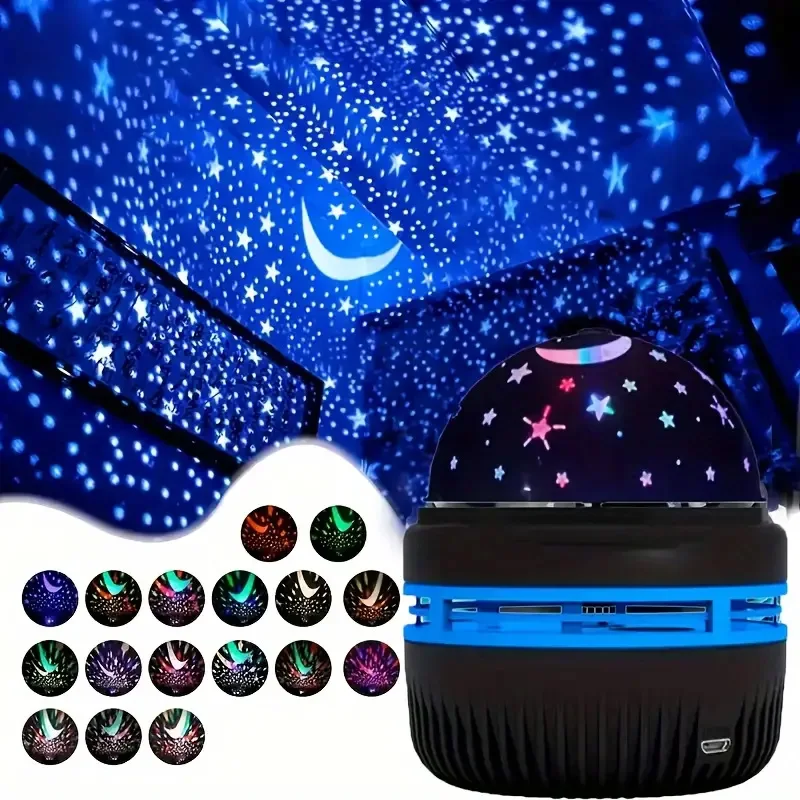
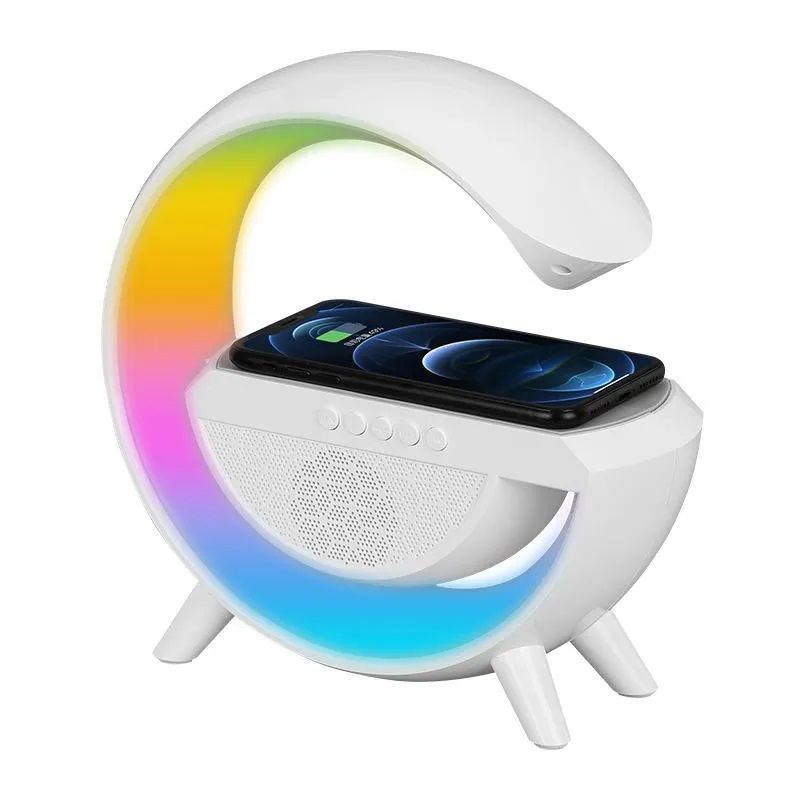
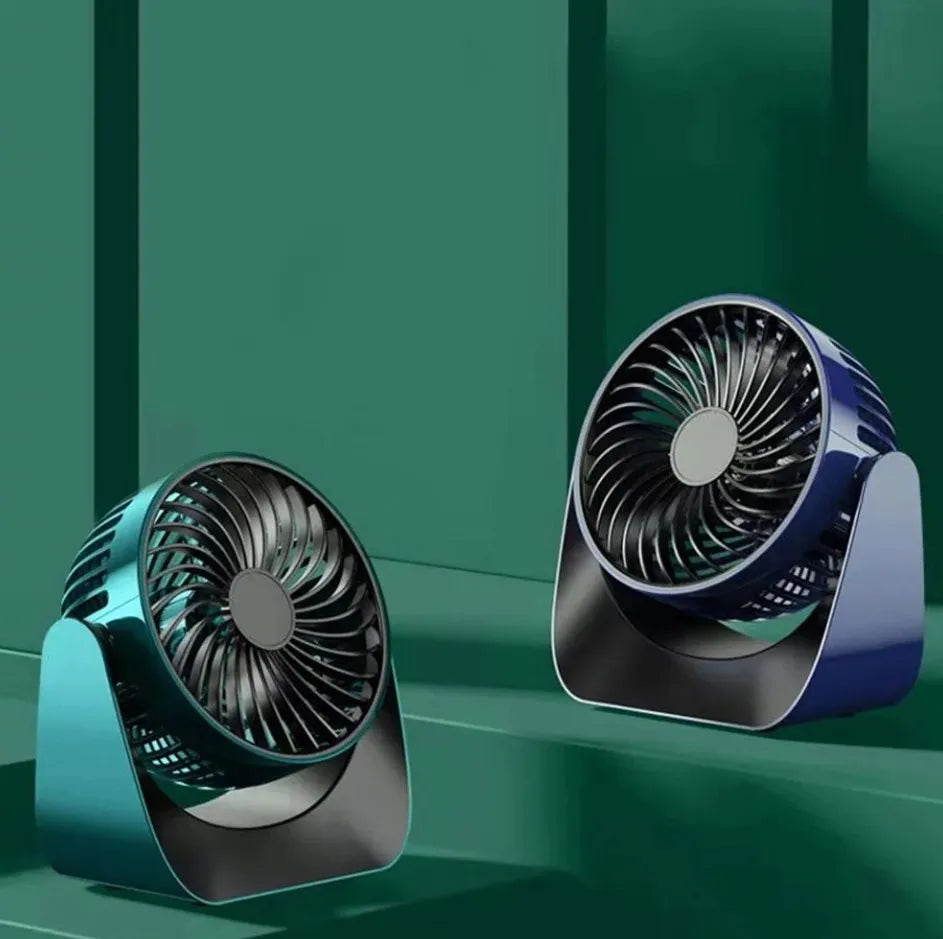
The Galaxy Star Projector Night Light covers bedroom lighting, the LED Wireless Charger Speaker combines charging with audio, and the 360° Rotate Desktop Fan handles personal airflow. Each has its own listing with full details.
Frequently asked questions about a magnetic selfie mirror
Does it work with any phone?
It is a passive optical accessory with no electronics, so there is no software compatibility to worry about and the listing states it works with all smartphones. The only practical questions are physical: how thick your case is, and where the rear camera sits on your particular handset.
Will the photo come out mirrored?
What you see while framing is a reflection, so text and logos look reversed as you compose. Whether the saved file is reversed depends on your camera app. Take one test shot early, and if it is flipped, use the mirror tool in your gallery app to correct it in a single tap.
Is the image quality really better than the front camera?
On most phones the rear camera system has the better sensor and optics, so yes, particularly in dim light where the gap is widest. In bright, even light a modern front camera does a perfectly good job, and the difference is much less noticeable.
Can I use a magnetic selfie mirror with a tripod?
Yes, and that is one of the situations where it is most useful. On a tripod or a stand you cannot see the screen anyway, so the mirror becomes your only way to check framing. Pair it with a timer or a remote shutter so you are not touching the phone.
Will it scratch my phone screen?
Keep both the mirror and the phone clean, since grit trapped between two surfaces is what causes scratches rather than the accessory itself. Wipe the back of the mirror and the area of the phone it contacts before attaching, and store it away from keys and loose change.
Does it need charging or an app?
No. There is no battery, no connection and no software involved, which is the main practical advantage of the design. It works the moment it is attached and will keep working for as long as the mirror surface stays clean and unscratched.
For anyone who takes planned self-portraits rather than quick snapshots, a magnetic selfie mirror is an unusually simple upgrade: no battery, no app, and access to the better camera on the phone you already own. Keep it clean, learn the small framing offset, and put the light in front of you. For background on the format itself, see selfie. The full listing is on the Ultra Magnetic Selfie Screen Mirror page, and the wider range is in the Mobile & Accessories section.




Add comment