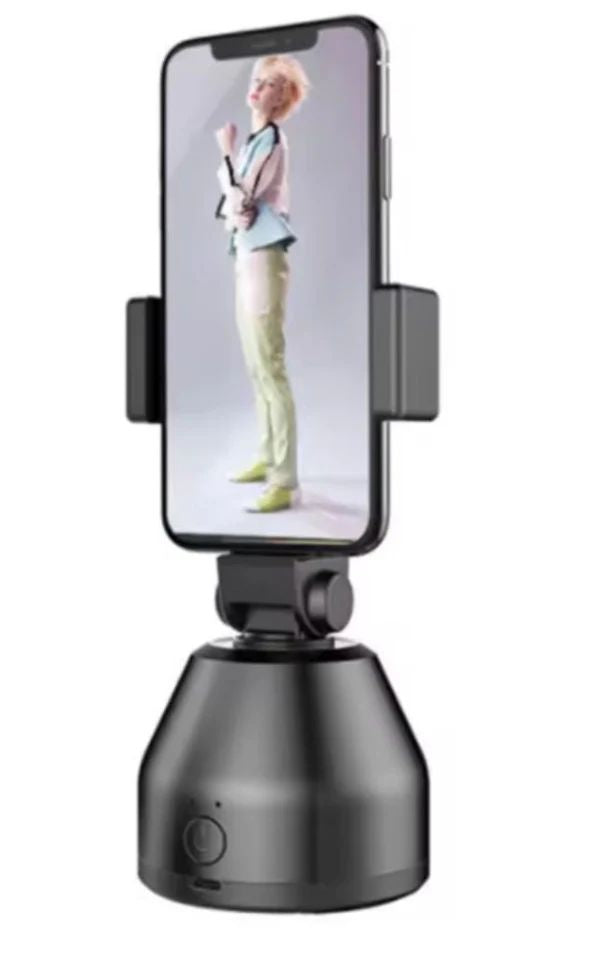
An auto tracking phone holder is the accessory that finally lets one person film themselves properly. Instead of framing a shot, stepping into it and hoping you stay inside the frame, the mount rotates to follow you while you move. The technology is genuinely useful and genuinely limited, and knowing where the limits sit is the difference between a purchase you use weekly and one that annoys you. This guide explains how the tracking works, what to check before ordering, and the model WLD Store lists for Saudi Arabia.
Why an auto tracking phone holder is worth considering
Filming alone is a framing problem before it is a camera problem. Set a phone on a static tripod and you are confined to a small box; step out of it and the shot is ruined, which means retakes and a lot of wasted time.
A motorised mount removes that constraint. You can walk to a whiteboard, demonstrate something at arm’s length, or turn to a second table, and the frame follows. For anyone filming tutorials, product demonstrations or workouts, that alone justifies the purchase.
It also helps in video calls. Remote workers who present standing up, or who move between a desk and a screen, stay visible without a colleague having to reposition anything for them.
Finally, an auto tracking phone holder reduces the need for a second person. Filming with a friend is better, but a friend is not always available, and consistency matters more than perfection for regular content.
How auto tracking phone holder detection works
Most units in this category use a small camera or sensor in the base to look for a face or a body shape, then drive a motor to keep that shape near the centre of its view. The mount is doing the detection, not your phone.
That design has a real advantage: the tracking usually works regardless of which app you are recording in, because the mount does not need to talk to your phone at all for basic operation. Some models add an app for extra modes, which is worth checking before you buy.
It also explains the limits. Detection depends on seeing a face clearly, so poor light, a turned head, a face covered by a scarf or a hood, or a person moving quickly across the frame can all break the lock.
Understanding this makes an auto tracking phone holder far less frustrating. It is following a detected shape, not reading your intentions, so you get the best results by moving at a moderate pace and keeping your face towards it.
What makes a good auto tracking phone holder
Five things separate a mount you rely on from one that lives in a drawer.
Tracking speed and smoothness
Two failure modes matter. A mount that moves too slowly loses you when you step sideways; one that hunts back and forth produces footage that is uncomfortable to watch. Smooth, slightly delayed movement looks far better on video than fast, twitchy correction.
There is also a trade-off between responsiveness and stability that no manufacturer can fully solve. Tuning a mount to react instantly makes it twitch at every small movement of your head, while damping it heavily makes it lag behind a genuine step. Most units settle somewhere in the middle, which is why moving predictably helps so much.
If you can, watch real footage before buying rather than a promotional clip. A promotional clip is filmed with ideal lighting and rehearsed movement, which is not how you will use it.
Motor noise
Motor noise ends up in your audio, especially if you record with the phone’s built-in microphone close to the mount. The listing for the model below describes whisper-quiet motors, which is the specification to look for in any auto tracking phone holder.
If you record voice regularly, plan to use an external microphone anyway. That solves motor noise and improves your audio far more than any other single change.
Phone attachment
How the phone is held matters more than it sounds. A spring clamp fits almost anything but can press side buttons; a magnetic attachment is faster and cleaner but needs a magnetic phone or case. The listing describes this model as using magnetic attachment.
Check the hold with your phone in the case you actually use, and be careful with heavy phones at an angle, where the leverage on any mount is highest.
Mounting and power
Look for a standard tripod thread on the base so the mount can sit on a tripod rather than only on a desk. Height changes framing more than anything else, and desk height is rarely the right height.
Check how it is powered too. Battery-powered units are portable but need charging; USB-powered ones run indefinitely but tether you to a socket.
Rotation range
Understand what the unit actually moves. Many designs rotate horizontally only, which is ideal for someone walking around a room and useless for someone moving closer to and further from the camera. Check the listing rather than assuming full movement in every direction.
The WLD Store pick: 360 degree AI Smart Phone Holder
These are the details stated in the WLD Store listing, reported exactly as written with nothing added.
- Product: 360 degree AI Smart Phone Holder, described as an auto face-tracking mount.
- Category: Electronics.
- Brand: WLD.
- SKU: WLD-KSA-0028-(KD-KD0181).
- Movement: the listing says it rotates to follow your movement.
- Motors: described as whisper-quiet.
- Attachment: the listing states magnetic attachment.
- Compatibility: presented as compatible with all smartphones.
- Availability: sold across Saudi Arabia through secure checkout.
The 360 degree AI Smart Phone Holder product page carries the full specification and current availability, and is the authoritative source if any detail changes.
Setting up an auto tracking phone holder correctly
- Charge it fully before the first session. Tracking motors draw more power than people expect.
- Put it at chest or eye height. Desk height points the camera up your nose; a tripod fixes this instantly.
- Give it a clear background. Busy backgrounds with faces in posters or on screens can confuse detection.
- Light your face, not the wall behind you. Detection needs to see features, and backlighting is the most common cause of lost tracking.
- Set the framing before you press record. Stand where you will start, check the shot, then begin.
- Test the rotation limits. Walk to each side and note where the mount stops, so you know your usable stage.
Getting good footage from an auto tracking phone holder
A little technique goes a long way, because the mount is a tool rather than a camera operator.
Move at a walking pace, not a rushing one. Sudden lateral movement is the single most reliable way to break the lock on any auto tracking phone holder, and the resulting swing looks worse than a static shot would have.
Keep your face turned roughly towards the unit. Turning fully away removes the thing the sensor is following, and while many models re-acquire quickly, the pause is visible in the footage.
Think about your stage. Decide in advance where you will stand, where you will walk to and where you will finish, and keep all of it within the rotation range you tested.
Record a short test and watch it back on a larger screen. Motor sound, framing height and tracking smoothness are all much easier to judge on a laptop than on the phone that recorded them.
A simple auto tracking phone holder workflow
Having a repeatable routine turns an occasional gadget into part of how you work, and it takes about five minutes to establish.
- Set the height first. Put the mount on a tripod at roughly chest height and tilt it so your head sits in the upper third of the frame.
- Fix the lighting second. Face the main light source. Detection and image quality both improve, and an auto tracking phone holder is noticeably more reliable with a lit face.
- Mark your stage third. Walk to each edge of the area you will use and confirm the mount follows you all the way.
- Record ten seconds and check it. Watch it back for framing, motor noise and tracking smoothness before committing to a long take.
- Record the real take. Move at a walking pace, keep your face towards the unit and finish inside your marked stage.
- Pack it down the same way each time. Power off, then reposition the head by hand, never the other way round.
Once this becomes habit, setup takes under two minutes. That matters more than any specification, because the accessory that gets used is the one that is quick to deploy, and an auto tracking phone holder left in a box helps nobody.
Where an auto tracking phone holder works well
Being clear about this saves disappointment more than any feature list.
It works well for a single person in reasonable light, moving at a moderate pace across a defined area: cooking demonstrations, tutorials, product reviews, presentations and home workouts are all good fits.
It works poorly in dim rooms, because detection needs contrast to find a face. It also struggles when several people are in frame, since the mount has to choose, and it may switch subjects mid-take.
It is not a stabiliser. An auto tracking phone holder rotates a phone on a base; it does not smooth out handheld shake, and it is not designed to be carried while filming.
It is also not a security camera. These are mounts for filming yourself deliberately, and using any camera to record other people without their knowledge raises obvious legal and ethical problems.
Who an auto tracking phone holder suits
The motor and sensor add cost, so it is worth being clear about who gains from them and who is buying a tripod with extra steps.
It suits solo creators most obviously. Anyone filming tutorials, unboxings, cooking demonstrations or fitness content without a second person gets a direct benefit every single session.
It suits teachers and trainers well. Someone presenting to a camera while walking to a board, a screen or a piece of equipment stays in frame without asking anyone to move the phone.
It suits remote workers who present standing up. If your video calls involve demonstrating something rather than sitting still, an auto tracking phone holder makes you far easier to follow.
It suits seated podcasters and desk-bound presenters much less. If you never leave a chair, a plain tripod is cheaper, silent and cannot lose you, and no amount of tracking improves a shot that never needs to change.
It also suits people filming in dim rooms poorly. An auto tracking phone holder is only as good as the light on your face, and no model overcomes a genuinely dark space.
Auto tracking phone holder magnets, motors and safety
Two cautions are worth stating plainly because the packaging rarely does.
Magnetic mounts hold phones with strong magnets. Keep bank cards, hotel keys and passports away from them, and anyone with a pacemaker or other implanted medical device should follow their doctor’s guidance on safe distances from magnets.
The motors are geared, so forcing the head by hand while it is powered can strip the drive. If you need to reposition it, switch it off first and move it gently.
Finally, place it away from table edges. A phone swinging out on a rotating mount changes the centre of gravity, and a mount that was stable when you set it up can walk towards an edge over a long session.
Auto tracking phone holder care and maintenance
- Keep the sensor window clean. A smudge on the detection lens degrades tracking just as it would on a camera.
- Wipe dust from the rotating joint. Grit in a bearing is what turns a quiet motor into a noisy one.
- Do not force the head. Power it down before repositioning by hand.
- Charge it before storage. A battery left flat for months loses capacity faster.
- Store it out of direct sun. Heat is hard on both batteries and plastic gears.
- Check the magnetic pad for grit. Trapped particles scratch phone backs and cases.
Auto tracking phone holder problems and quick fixes
- It keeps losing you. Almost always light. Put a light on your face rather than behind you and slow your movement down.
- The motor hunts back and forth. Move further from the unit and reduce your own small movements; hunting is worst at close range.
- Motor noise is in the recording. Use an external microphone, or move the phone microphone further from the base.
- The phone slips or tilts. Case thickness or a heavy phone. Try without a case, or move to a clamp-style mount for heavy devices.
Auto tracking phone holder versus a tripod or a gimbal
Three products get compared here and they solve different problems.
A plain tripod is cheaper, silent, has no battery and never loses you, because it never moves. If you film seated or standing in one spot, it is the better and more reliable choice.
A handheld gimbal stabilises a moving camera, which is what you want when the camera travels with you. It does not solve the problem of filming yourself, because someone still has to hold it.
An auto tracking phone holder is for the specific case of filming yourself while you move around a fixed area. If that is your situation it is excellent, and if it is not, one of the other two will serve you better for less money. For the technical background on how software finds faces in an image, see the Wikipedia article on face detection.
Auto tracking phone holder buying checklist
- Does it rotate in the directions you need? Many models pan only.
- Will your phone and case attach securely? Magnetic mounts need a magnetic phone or case.
- Is there a tripod thread on the base? Desk height is rarely the right height.
- How is it powered, and for how long? Battery for portability, USB for long sessions.
- How well is your filming space lit? Detection is only as good as the light on your face.
Other Electronics picks at WLD Store
If you are building a filming or desk setup, these three items from the same category sit alongside a tracking mount.
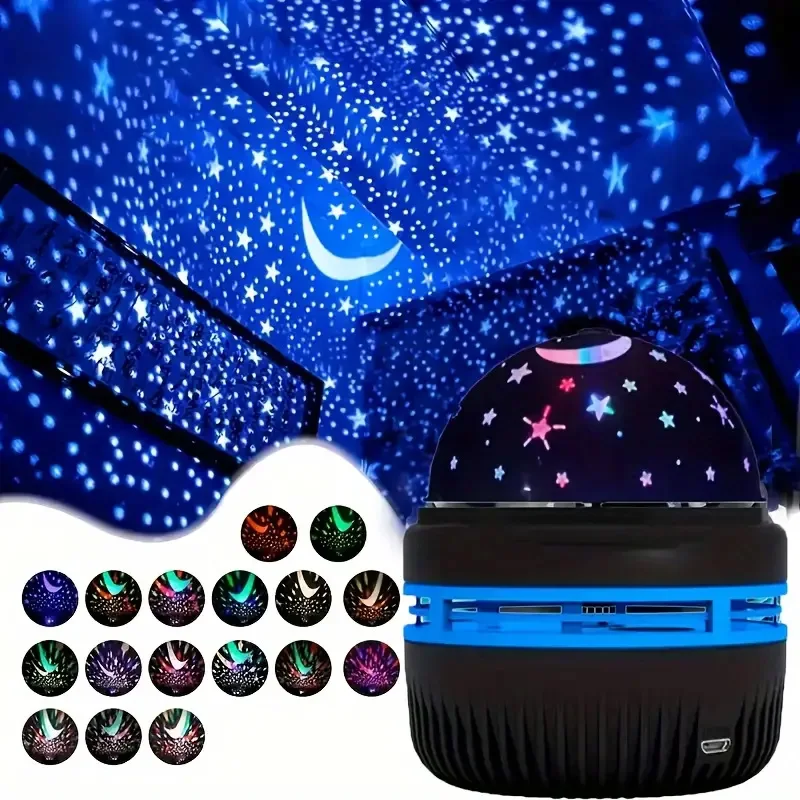
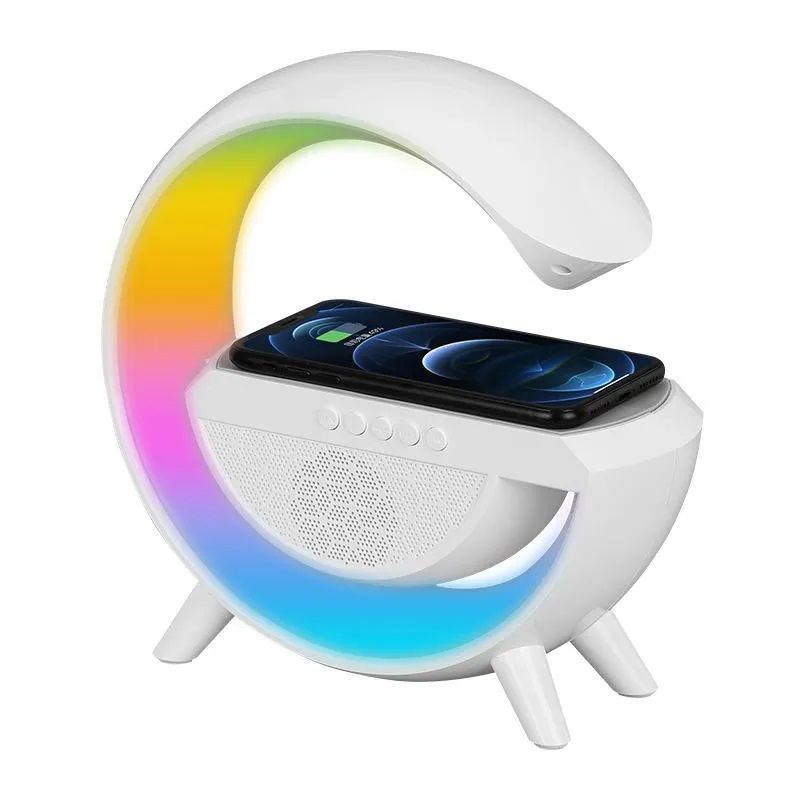
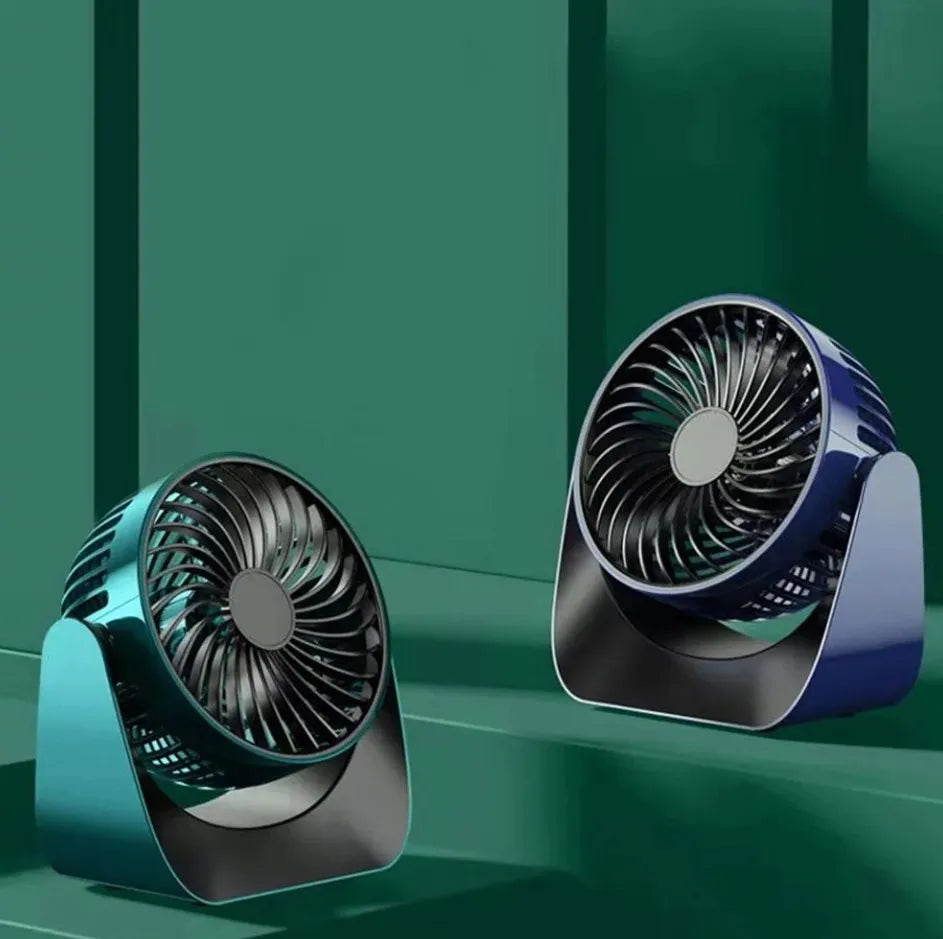
The star projector gives a background some depth, the wireless charger speaker keeps a phone charged between takes, and the desktop fan is welcome during long filming sessions.
Frequently asked questions about the auto tracking phone holder
Does an auto tracking phone holder need an app?
Basic tracking on most models works without one, because the sensor and motor are in the mount rather than in the phone. Some units add an app for extra modes, so check the listing if that matters to you.
Will an auto tracking phone holder work with any phone?
Most mounts are designed to be broadly compatible, but the attachment method decides the detail. Magnetic mounts need a magnetic phone or case, and very heavy phones test any mount at an angle.
Why does my auto tracking phone holder lose me in the evening?
Face detection needs contrast, and a dim room provides very little. Add a light in front of you rather than behind you, and the tracking usually becomes reliable again immediately.
Can it track more than one person?
Generally it follows one detected subject at a time. With two people in frame, the mount has to choose, and it can switch mid-take, so a wider static shot is often the better option for interviews.
Does an auto tracking phone holder stabilise footage?
No. It rotates a phone on a base to keep you in frame; it does not reduce handheld shake. If you need smooth moving shots, a gimbal is the correct tool.
Is auto tracking phone holder motor noise audible in recordings?
It can be, particularly with the phone microphone close to the base. Quiet motors help, and an external microphone placed nearer your mouth removes the problem almost entirely.
An auto tracking phone holder is a narrow tool that does one job very well: keeping a solo presenter in frame while they move. Light your face properly, set the height on a tripod, learn the rotation limits and it will save you a lot of retakes. If that fits how you film, see the 360 degree AI Smart Phone Holder listing, or browse the wider range at the WLD Store shop.



Add comment