A robot vacuum cleaner is one of the few appliances that genuinely changes a daily routine, provided you buy it understanding what it is and is not. It is a maintenance machine: it keeps floors consistently tidy rather than deep-cleaning them once a week. This guide covers how the navigation systems differ, how to prepare a home so the machine actually finishes a run, what the dustbin and filters really demand of you, how batteries and runtime translate into coverage, and the honest limits worth knowing before you order one.
What it does well, and what it does not
The strength of a robot vacuum cleaner is frequency. Running every day, it removes dust, hair and grit before they build up, which is a different job from an occasional deep clean. Floors stay at a consistent baseline rather than swinging between spotless and neglected.
It is also unusually good at the places people skip. Under beds, under sofas and along the edges of rooms are exactly where a robot vacuum cleaner goes without complaint, and exactly where an upright rarely reaches.
What it does not do is replace a proper vacuum. Suction is limited by size and battery, deep carpet pile stays a challenge, and a robot cannot lift a rug or clean a staircase. Anyone expecting a single machine to handle everything will be disappointed.
It also does not tidy. A robot vacuum cleaner cleans the floor it finds, which means the floor has to be clear of socks, cables and toys first. That preparation habit is the single biggest determinant of whether owners are happy after a month.
How the navigation works
Navigation is the feature that separates a robot vacuum cleaner you forget about from one you rescue twice a day. There are four broad approaches, and the differences are real.
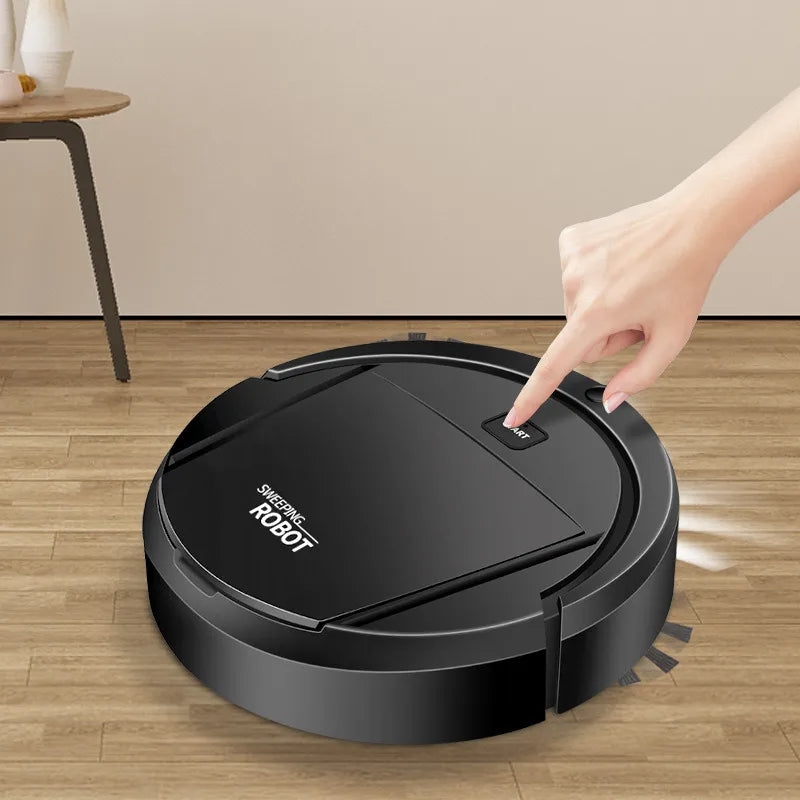
Bump and random
The simplest systems move in semi-random patterns and change direction when they hit something. They do eventually cover a room, but they take far longer and often miss patches. A basic robot vacuum cleaner of this type works best in small, simple spaces.
Gyroscope-assisted
Adding a gyroscope lets the machine track its own heading and clean in rows rather than randomly. Coverage improves noticeably and runs finish faster. It still has no map, so it does not know which parts of a room it has already done after being moved.
Laser mapping
A spinning laser sensor builds a live map of the room, which allows methodical row-by-row cleaning and reliable return-to-base. This is the approach most reviewers rate highest, and it works equally well in the dark. Read the general background on the robotic vacuum cleaner category for how these systems developed.
Camera-based
Camera navigation uses visual landmarks on the ceiling and walls to orient itself. It is capable and usually cheaper than laser, but it depends on adequate light, so a robot vacuum cleaner using this method may struggle in a dark room.
The WLD Store pick: Smart Robotic Vacuum Cleaner
These details come from the WLD Store listing. They are the seller’s stated features rather than figures we have independently measured:
- Product: Smart Robotic Vacuum Cleaner, described as an auto floor sweeper.
- Navigation per the listing: auto-navigates rooms while avoiding obstacles.
- Control per the listing: app and voice control compatible.
- Modes per the listing: suction modes for carpets and for hard floors.
- Charging per the listing: self-charging, returning to its base.
- Runtime per the listing: stated as 120 minutes.
- Category: Home & Kitchen, filed under Home Appliances | Brand: WLD | SKU: WLD-KSA-0135-(KD-128)
- Availability: listed for customers across Saudi Arabia, with secure checkout.
The listing does not state dust bin capacity, filter type, noise level or which app the unit pairs with, so check the current product page and the manual for those. Full details are on the Smart Robotic Vacuum Cleaner product page.
Preparing the home before the first run
Almost every early frustration with a robot vacuum cleaner comes from an unprepared floor rather than a faulty machine. Twenty minutes of setup pays for itself immediately.
- Clear cables off the floor. Phone chargers and lamp cords are the single most common cause of a robot vacuum cleaner stalling mid-run.
- Lift light rugs with tassels. Fringes wrap around brushes and stop the machine within seconds.
- Move low, unstable items. Floor vases, standing fans and pet bowls all get pushed around.
- Give the base station clearance. Most units need clear space on either side and in front to dock reliably.
- Do a first run while you are home. Watch where it struggles, then fix those spots once rather than repeatedly.
Households that establish a quick evening floor-clear habit get far more out of a robot vacuum cleaner than those who do not, and the habit takes about a minute a day.
Carpets, hard floors and suction modes
Different surfaces need different things, and this is where expectations often need adjusting.
On hard floors — tile, marble, wood and vinyl, which covers most Saudi homes — a robot vacuum cleaner performs at its best. Dust and hair sit on the surface and are easy to lift, and edge brushes bring debris in from skirting boards.
On low-pile rugs, performance is usually good with a higher suction setting. On deep or shaggy pile, expect surface cleaning only; embedded grit needs a full-size vacuum with a beater bar and much more power. Very thick rugs may also stop the machine climbing on at all.
The transition points matter too. A high threshold between rooms or a thick rug edge is a common place for a robot vacuum cleaner to get beached, and a small ramp or a rug with a thin border solves it permanently.
What about mopping attachments?
Some machines in this category add a water tank and a cloth pad that drags behind the unit. It is worth understanding what that actually achieves before it becomes a deciding factor.
A trailing damp pad lifts light surface dust and leaves floors looking fresher. It does not scrub, and it will not shift a dried spill or a sticky patch — that still needs a hand and a cloth. On tile with textured grout the improvement is modest, and on wood the moisture needs watching.
Importantly, the WLD Store listing for this particular unit describes suction modes for carpets and hard floors and does not mention a mopping function, so do not assume one is included. If damp cleaning matters to you, confirm it on the product page rather than inferring it from the category, because a robot vacuum cleaner without a tank is a dry machine only.
Runtime, coverage and apartment size
Runtime figures describe ideal conditions: low suction, hard floor, no obstacles. Real coverage is always lower, so treat a stated number as a ceiling rather than a promise.
Higher suction drains the battery faster, and so does carpet. A machine that manages a whole apartment in one pass on eco mode may need two charge cycles on maximum. That is normal rather than a fault.
The practical question is whether the unit returns to base and resumes. A self-charging robot vacuum cleaner that docks, recharges and continues will finish a large flat regardless of runtime; one that simply stops leaves half the job undone until you intervene.
Noise, timing and living with it
Nobody mentions noise until they own one. A robot vacuum cleaner is quieter than an upright but far from silent, and on hard floors the wheels add a constant low rumble that carries through an apartment.
That makes timing the practical question. Scheduling a run while everyone is out is ideal; scheduling one during an afternoon nap is not. Many households settle on a mid-morning slot, when the house is empty and the machine can finish undisturbed.
Consider the neighbours in a flat, too. Late-night runs travel through floors more than people expect, and a machine that bumps a skirting board repeatedly is audible below. A daytime schedule avoids the whole question.
The dustbin, filters and real maintenance
Maintenance is the part sellers rarely emphasise and robot vacuum cleaner owners notice within a week. Onboard bins are small, and a machine running daily fills one quickly.
- Empty the bin after every run, or at least every second run. A full bin drastically reduces pickup.
- Tap out or rinse the filter regularly, following the manual — some filters can be washed and some cannot.
- Replace filters when they stop looking clean after tapping. A clogged filter costs suction and strains the motor.
- Wipe the sensors and the charging contacts with a dry cloth weekly; dust on a sensor makes a robot vacuum cleaner behave erratically.
- Check the front castor wheel monthly, since hair wraps around it and makes the unit drag.
If a listing mentions a HEPA-type filter, treat filtration claims as the manufacturer’s description unless a specific standard and grade are named.
Hair, brushes and pets
Long hair is the natural enemy of the rotating brush in any robot vacuum cleaner, and it is the most common reason a machine loses performance over months.
Check the main brush weekly in a household with long hair or a shedding pet. Most brushes lift out and can be cleared with scissors or a seam ripper; leaving it wrapped puts strain on the motor and gradually reduces pickup.
One honest warning about pets: a robot vacuum cleaner cannot distinguish an accident from ordinary debris, and running one over a mess spreads it across the whole floor. If a pet is unwell or not fully house-trained, run the machine only when you are home to check first.
App control, voice control and privacy
App control is genuinely useful — scheduling a daily run while you are out is the feature most owners end up using every day. Voice control through a smart speaker adds convenience rather than capability.
There is a trade worth naming. Any connected appliance sends data to a manufacturer’s servers, and a mapping robot vacuum cleaner in particular builds a floor plan of your home. Read the privacy policy, use a strong unique password, and keep the firmware updated.
If that trade does not appeal, most machines still run perfectly well from their own buttons without ever being connected. You lose scheduling and mapping features, not cleaning.
Getting the base station right
Where the dock lives decides how reliably the machine finishes its work, and it is worth more thought than most people give it.
- Pick a permanent spot. Mapping systems learn the station’s location, and moving it repeatedly confuses them.
- Leave clearance. Most manufacturers ask for open space either side and in front so the unit can line up.
- Avoid direct sunlight. Strong light can interfere with the infrared signals a robot vacuum cleaner uses to find its dock.
- Keep it against a flat wall. Docking into a corner or against a skirting bump causes repeated failed attempts.
- Use a central room. A station near the middle of the home shortens the return trip and wastes less battery.
Get this right once and the machine stops needing rescue. Get it wrong and you will find a robot vacuum cleaner stranded flat on the floor most mornings.
Where robots get stuck
- Under low furniture. A gap just tall enough to enter and too tight to turn is the classic trap.
- On dark floor patterns. Some drop sensors read very dark tile or a black rug as a staircase and refuse to cross.
- At high thresholds. Anything above the stated climbing height stops a robot vacuum cleaner dead.
- Around chair legs. Clusters of thin legs are difficult for every navigation type; raising dining chairs before a run helps.
- Near curtains. Long, light curtains get pulled into the brush.
Common problems and quick fixes
- Pickup has dropped. Check the bin, the filter and the main brush in that order. One of the three is almost always the cause.
- It will not dock. Clean the charging contacts on both the unit and the base, and clear space around the station.
- It spins in circles or stops randomly. Dust on the drop sensors. Wipe them with a dry cloth.
- Runtime has fallen sharply. Battery ageing. Charge with the supplied adapter, avoid leaving the machine flat for weeks, and expect any lithium-ion battery to decline over years.
Buying checklist
- What surfaces do I actually have, and how much of the floor is deep-pile carpet?
- Does the machine return to base and resume, or does it simply stop?
- How large is the dustbin relative to how much my home sheds?
- Am I comfortable connecting an appliance to an app, or do I want to run it offline?
- Do I have somewhere sensible to put the base station for a robot vacuum cleaner to dock reliably?
Who it is not for
Homes that are mostly deep carpet get less from this format than homes with tile and wood. Multi-level houses are also awkward, because the machine cannot manage stairs and has to be carried between floors, which defeats much of the convenience.
Very cluttered homes are the other poor fit. If clearing the floor each evening is unrealistic, a robot vacuum cleaner spends most of its run trapped, and the machine gets blamed for a problem it cannot solve.
Anyone wanting a single appliance to replace all cleaning should also reconsider. This is a supplement to a proper vacuum, not a substitute for one.
Robot, handheld or upright?
The three formats solve different problems, and most households that buy a robot vacuum cleaner eventually own two of them.
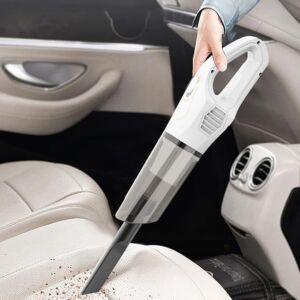
An upright or canister vacuum has the power for deep carpet, stairs and periodic thorough cleans. A handheld or cordless stick covers spills, sofas, car interiors and quick jobs where fetching a robot makes no sense.
A robot vacuum cleaner handles the daily maintenance layer that neither of the others gets used for often enough. Pairing a robot with a cordless handheld covers most households well; pairing a robot with nothing else leaves real gaps.
Other picks at WLD Store
Three related home appliance listings from the same catalogue:
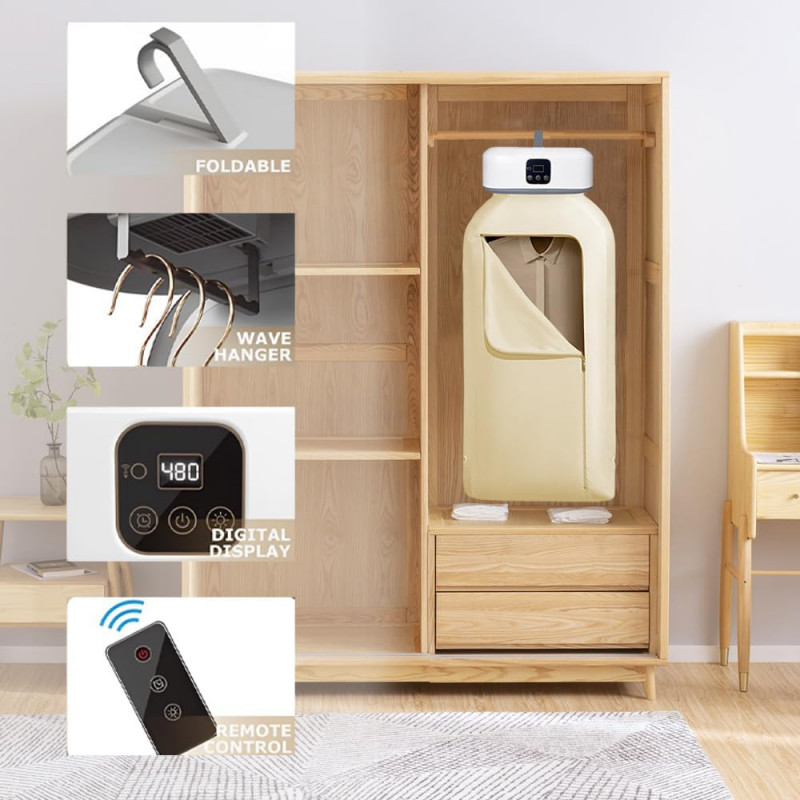

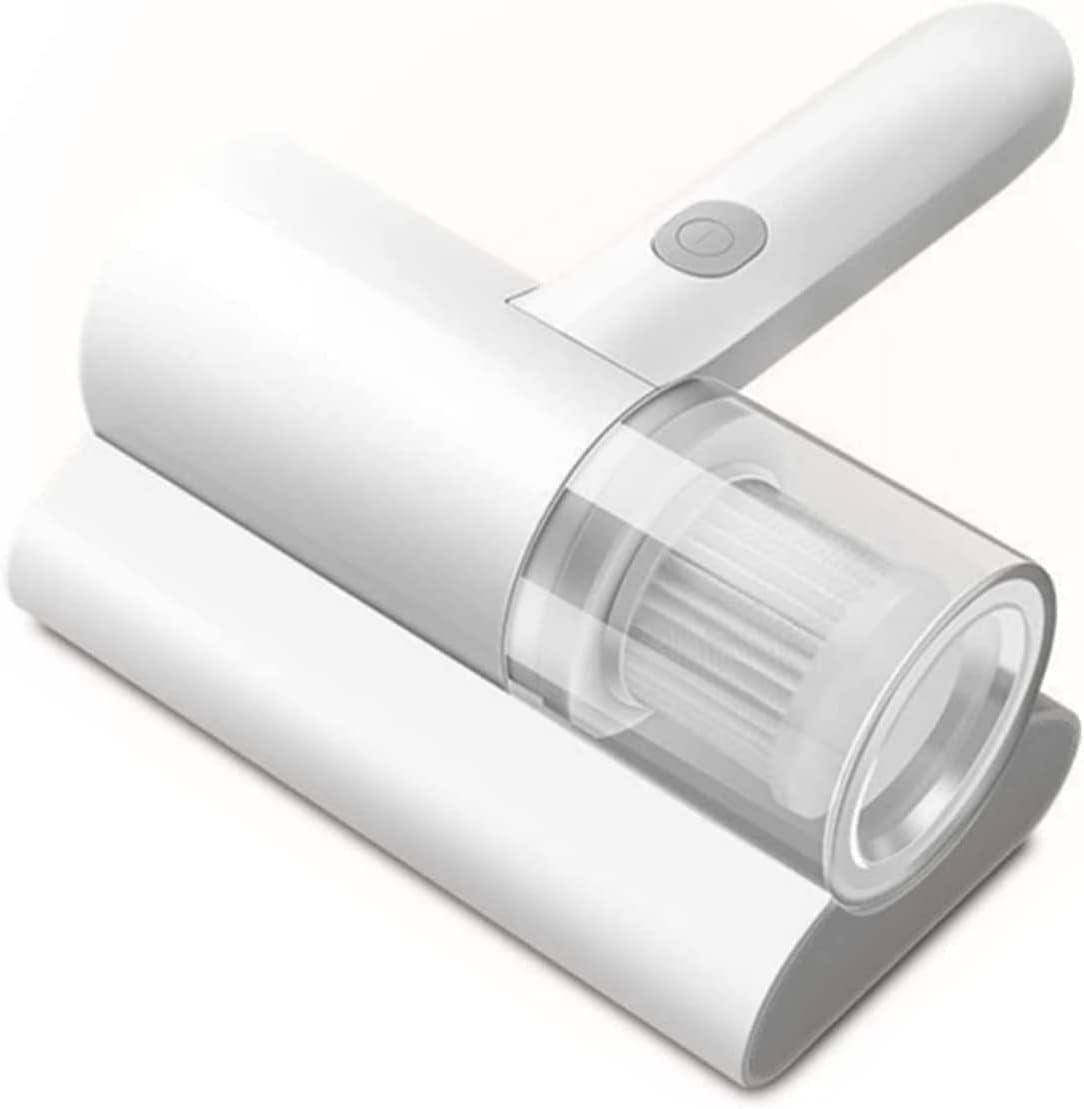
The Dust & Mite Vacuum Cleaner covers mattresses and upholstery, which no floor robot reaches. The Foldable Electric Clothes Dryer and the Smart Blender 15-Speed round out the home appliance range.
Frequently asked questions about the robot vacuum cleaner
Will it replace my normal vacuum?
No, and buying one on that assumption leads to disappointment. It keeps floors consistently clean between deep cleans. Deep carpet, stairs and upholstery still need a full-size or handheld machine.
How often should I run it?
Daily is the point of the format. A short run every day keeps dust from accumulating and keeps each run quick, which is easier on the battery than occasional long sessions.
Is it safe to run while I am out?
Generally yes, provided the floor is clear and there are no pets that might be distressed. Do not schedule a robot vacuum cleaner to run unattended if a pet is unwell, since the machine cannot recognise an accident.
Does it work on dark tiles?
Sometimes not. Drop sensors on some machines misread very dark surfaces as a drop and refuse to cross them. If your floors are dark, check reviews for that specific behaviour before ordering.
How long does the battery last overall?
Rechargeable cells degrade gradually over years of cycles. Using the supplied charger, avoiding long periods fully flat and keeping the unit out of extreme heat all extend useful life.
Do I have to use the app?
No. Scheduling and mapping features need it, but a robot vacuum cleaner will run from its own controls. If you prefer not to connect an appliance to the internet, that option normally remains.
Clear the floor, empty the bin, clean the brush — three small habits that decide whether this machine delights you or annoys you. Treated as a daily maintenance tool rather than a replacement for everything else, a robot vacuum cleaner earns its place quickly. You can see this model on its product page, or browse the full appliance range at the WLD Store shop.





Add comment