An lcd kids drawing tablet solves a problem every parent recognises: a child who wants to draw constantly, and a house that fills with loose paper, dried-out markers and crayon marks on the wall. Press a stylus to the screen, a coloured line appears, and one button clears the whole thing.
It is a simple idea, but the details decide whether it becomes a daily favourite or a drawer item by the second week. This guide covers how the screen actually works, what separates a good lcd kids drawing tablet from a frustrating one, how children of different ages use it, and how to keep it working properly.
Why an lcd kids drawing tablet earns its place
Drawing is one of the few activities that keeps a young child genuinely absorbed without a video feed. The trouble is the supporting cast. Paper runs out at the worst moment, felt-tips are left uncapped, and washable does not always mean washable once a marker meets a sofa cushion.
An lcd kids drawing tablet removes almost all of that. There is nothing to spill, nothing to sharpen, and nothing to clean up afterwards. A child can produce forty drawings in an afternoon and the tidying is a single button press, which changes how freely most children are willing to experiment.
It also travels in a way paper and pencils never manage. Car journeys, waiting rooms, restaurants and flights are exactly where children need something to do and exactly where a box of crayons is least welcome. A flat lcd kids drawing tablet in a bag covers all of them.
Then there is the question of screen time. Parents are understandably wary of handing a three-year-old a phone. An lcd kids drawing tablet occupies similar hands and similar minutes, but there is no feed, no video, no advertising and nothing to tap through. The child makes the content.
What makes a good lcd kids drawing tablet
The pads look interchangeable in photographs, and they are not. Four things separate an lcd kids drawing tablet that gets used every day from one that annoys a child within an hour: the screen itself, the erase mechanism, the build, and the size in a small pair of hands.
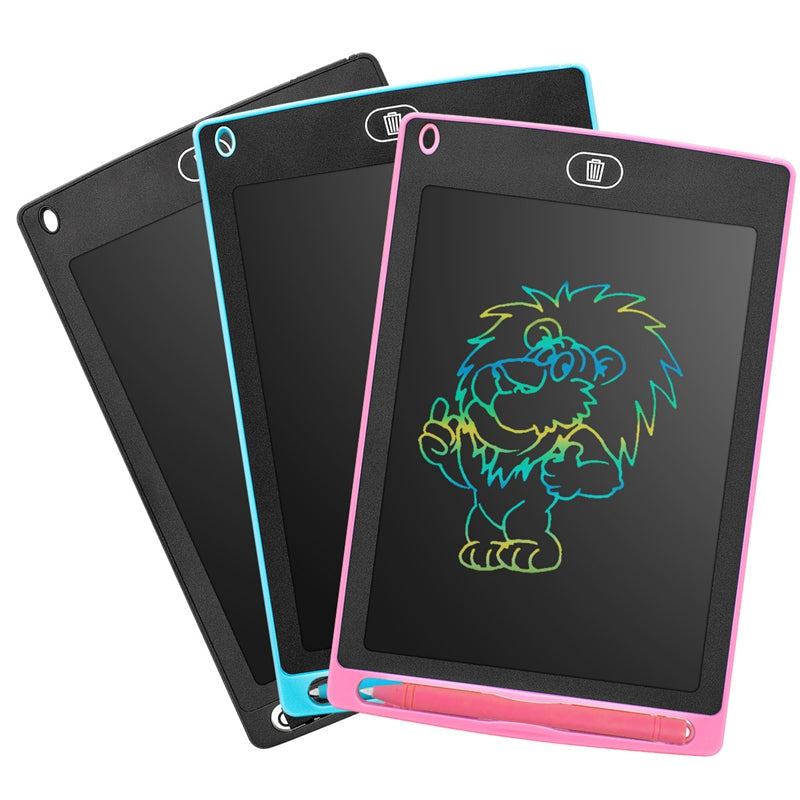
The writing screen
These pads use a flexible liquid-crystal display layer rather than the backlit panel in a phone. Pressure from a stylus disturbs the crystals so they reflect light and a visible line appears. Nothing is emitting light at you, which is why the surface looks more like paper than a screen and why the pad draws so little power.
Line quality and colour
A pressure-sensitive surface is what makes drawing feel responsive: press lightly for a thin line, lean in for a bold one. A colourful screen matters more than adults expect, because young children respond to colour far more strongly than to detail. It is the difference between a novelty and something a child returns to.
One-button erase
The erase button is used more than any other part of the device. It should clear the whole screen instantly and reliably, and it should be easy for small fingers to press without help. On this lcd kids drawing tablet that is a single button, which is exactly the right level of complexity for a three-year-old.
Size, weight and durability
A pad that a child cannot hold on their lap is a pad the adult ends up carrying. Light and flat wins. Rounded corners, a stylus that stores on the body and a surface that survives being dropped on a tiled floor matter far more than any specification, because every one of those things will be tested in the first week.
The WLD Store pick: LCD Kids Drawing Tablet
This is the lcd kids drawing tablet WLD Store stocks for families who want a straightforward drawing pad rather than a device that needs setting up.
- Product: LCD Kids Drawing Tablet, a colourful digital writing pad
- Screen: colourful and pressure-sensitive, for drawing, writing and doodling
- Erase: one-button clear, with no paper and no mess
- Rated for: more than 50,000 write and erase cycles
- Suggested ages: children from roughly 3 to 10 years
- Category: Baby & Kids, Toys · Brand: WLD
- SKU: WLD-KSA-0119-(KD-027) · available across Saudi Arabia through secure checkout
Photographs and full details are on the LCD Kids Drawing Tablet product page. It is worth noting the cycle rating: at fifty drawings a day, a pad rated for 50,000 erases still has years of use in it.
How to introduce an lcd kids drawing tablet: 9 easy steps
Handing it over and walking away works for some children. For the rest, a little structure in the first hour decides whether it sticks.
- 1. Draw on it yourself first. Children copy far more readily than they follow instructions. Two minutes of you doodling is the best introduction there is.
- 2. Show the erase button once, then stop. Let them discover that a full screen can vanish. That moment is usually what sells the whole thing.
- 3. Let them press hard and soft. Point out that the line changes. Discovering pressure control early is what moves a child past scribbling.
- 4. Give the stylus a home. Decide on day one where it lives. A lost stylus is the single most common reason a pad stops being used.
- 5. Start with games, not art. Noughts and crosses, mazes, drawing each other badly. Play first, technique later.
- 6. Use it for letters and numbers. Tracing a name is far more appealing on a screen that wipes clean than on a worksheet that has to be redone.
- 7. Photograph the good ones. Nothing here is permanent, so a quick phone photo before erasing preserves the drawing a child is proud of.
- 8. Put it in the bag, not the toy box. The value is mostly in the places you go, not the room it lives in.
- 9. Set one rule. Fingernails, forks and keys do not touch the screen. One clear rule is easier to keep than five.
None of this takes long, and after the first session most children need no involvement from an adult at all, which is largely the point.
Age by age with an lcd kids drawing tablet
The suggested range for this lcd kids drawing tablet is roughly three to ten, and behaviour changes considerably across it.
At three and four, it is about cause and effect. Children this age scribble, erase, and scribble again, and the repetition is the activity rather than a stage to get past. The lack of mess matters most here, because this is the age at which a marker goes anywhere except the paper.
From five to seven, letters and numbers arrive. Children practise writing their name, copy words, and start drawing recognisable things. A screen that clears instantly takes the pressure out of getting it wrong, which is a real advantage over a worksheet where mistakes stay visible.
By eight to ten, it becomes a notepad. Homework rough work, game plans, comics, quick maps for a friend. Older children also use it for two-player games, and it is often the child who has outgrown toys who ends up carrying it around the house.
Learning value beyond drawing
The obvious benefit is fine motor control. Holding a stylus with a proper grip, applying steady pressure and controlling a line are the same skills that handwriting depends on, and children practise them for far longer when the activity feels like play.
There is a quieter benefit in the erasing. A child who knows that any attempt can be wiped away in a second takes more risks, tries harder shapes and gives up less quickly. Permanence is intimidating at five years old, and removing it changes how willing children are to try.
An lcd kids drawing tablet is also a good tool for adults working alongside a child. Explaining a maths problem, sketching how something works, or writing a word out for a child to copy is quicker on a pad that clears than on paper you keep having to replace.
What it does not do is teach on its own. There is no software, no lessons and no feedback, and that is a deliberate trade. The learning comes from what a child chooses to draw and from whoever sits down with them.
Where an lcd kids drawing tablet fits into the day
The pad tends to earn its keep in the gaps rather than as a planned activity. The half hour before dinner while a meal is being cooked, the stretch after school when a child is too tired for homework but not ready to stop, the twenty minutes in a waiting room: those are the slots it fills better than almost anything else.
Mornings are another. Children who wake early can draw quietly without needing an adult awake, a light switched on, or the television. Because there is nothing to set up and nothing to put away, the barrier at six in the morning is close to zero.
Restaurants deserve a specific mention. An lcd kids drawing tablet is silent, sits flat on a table and does not roll off it. Compared with a phone it keeps a child at the table and involved rather than absent, and compared with crayons it leaves nothing behind for staff to clear away.
The one time to leave it alone is bedtime. Not because the screen is bright, since it does not emit light, but because drawing is stimulating and children rarely stop voluntarily once they have started something they like.
Care and battery life for an lcd kids drawing tablet
An lcd kids drawing tablet needs very little maintenance, which is fortunate given who uses them. The main risk is the screen surface, and the main enemy is anything harder than the stylus. Nails, cutlery, toy cars and pens all leave permanent marks on a plastic writing layer.
Clean it with a dry or barely damp soft cloth only. Household cleaners, alcohol and abrasive sponges damage the surface, and there is nothing on an lcd kids drawing tablet that genuinely needs a chemical cleaner. Fingerprints wipe off with a dry cloth.
Keep it out of direct sun and out of a hot car. Liquid crystal layers respond to heat, and a pad left on a dashboard can darken or behave oddly until it cools. The same applies to leaving it under a heavy pile of books, where constant pressure can leave a shadow on the screen.
The battery in this style of pad is only drawn on when the screen is cleared, not while drawing, which is why the cycle rating is expressed in write and erase cycles rather than hours. If the display starts clearing incompletely, the battery is usually the reason.
Common problems and quick fixes
Four issues account for nearly every complaint about an lcd kids drawing tablet.
- The screen will not clear fully. A faint ghost image after erasing is the classic sign of a weak battery. Press the erase button a second time and see whether it improves before assuming a fault.
- Lines are faint or patchy. Usually a stylus held too upright or too lightly. Encourage a lower angle and a firmer hand; the surface needs pressure, not speed.
- The stylus has vanished. Almost universal. Any smooth blunt plastic point works as a stand-in, and giving the stylus a fixed home on day one prevents the problem entirely.
- Marks that will not erase. These are scratches in the surface rather than drawings, and they are permanent. It is worth explaining to a child once, early, that only the stylus touches the screen.
An lcd kids drawing tablet versus paper and versus a real tablet
Against paper and crayons, the drawing pad wins on mess, portability and cost over time, and loses on colour range and on keeping anything. A child cannot post a drawing to a grandparent from a screen that clears, and paper still has a place for that reason. Most families end up using both.
Against a phone or a full tablet, the comparison is different. A real tablet does far more, and that is precisely the problem for younger children: drawing competes with video, games and everything else on the device. An lcd kids drawing tablet does one thing, needs no supervision, and costs nothing in data or attention.
When an lcd kids drawing tablet is not the right choice
It is worth being honest about the limits. A child who mainly wants to make things to keep, whether pictures for the fridge, cards for relatives or artwork for a school project, will find a temporary screen frustrating rather than freeing. Paper is simply better for anything that has to survive the afternoon.
Children under three sit outside the intended range, and not only for safety reasons. The stylus is small, the cause and effect is subtle at that age, and a toddler is more likely to test the screen against the floor than to draw on it.
An older child who is already drawing seriously and wants layers, undo, brush choices and colour mixing needs a proper graphics application instead. An lcd kids drawing tablet is a notepad rather than an art program, and expecting otherwise only leads to disappointment.
Buying checklist for an lcd kids drawing tablet
Five questions worth asking before choosing any lcd kids drawing tablet.
- Is the screen colourful and pressure-sensitive? A flat single-colour line holds a young child’s attention for far less time.
- Can your child work the erase button alone? If an adult is needed for every clear, the pad will not get used independently.
- Is it light enough for a lap? Weight matters more than screen size for children under six.
- Does the stylus attach to the body? A tethered or stored stylus outlasts a loose one by a wide margin.
- Does the age range match your child? This one is suggested for roughly three to ten, which covers most of the useful window.
Other Baby & Kids picks at WLD Store
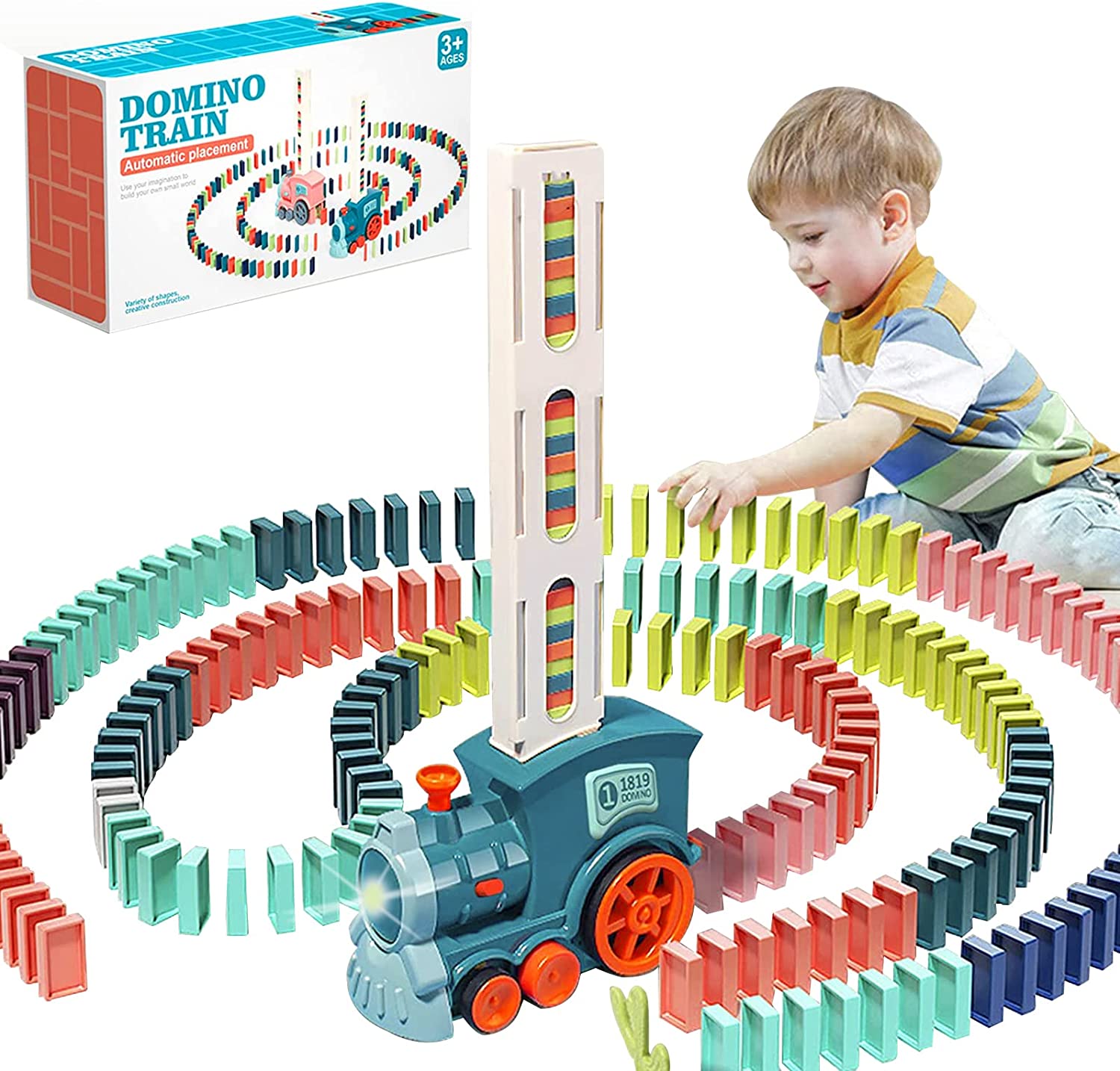
If you are shopping for the same child, these three sit nearby in the catalogue and cover play, early learning and everyday care.
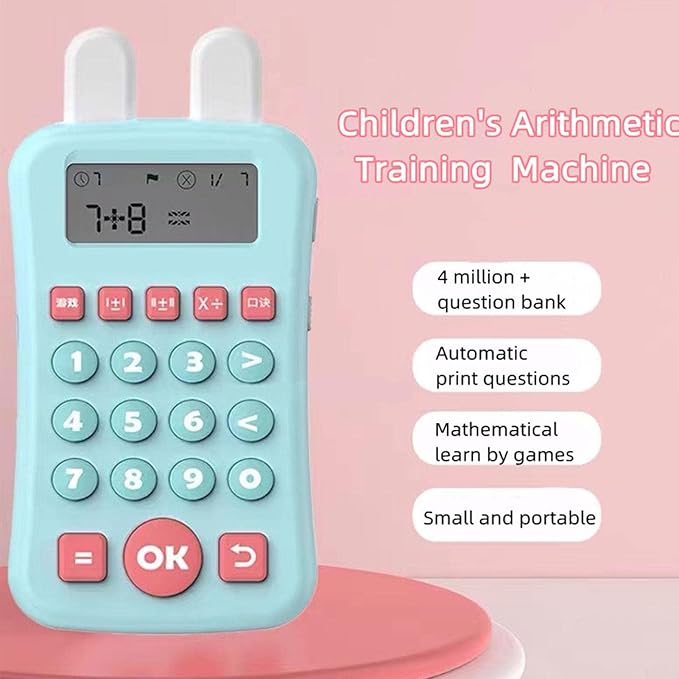

The Children’s Mathematics Early Education Machine pairs particularly well with an lcd kids drawing tablet, since one gives the questions and the other gives somewhere to work them out.
Frequently asked questions about the lcd kids drawing tablet
Does it emit blue light like a phone screen?
No. The screen reflects ambient light rather than shining light outward, which is why it looks closer to paper than to a phone. There is no backlight to switch on, and it cannot be used in a dark room for the same reason.
Can drawings be saved or transferred?
Not from the pad itself. Anything on the screen is temporary and disappears when the erase button is pressed. Parents who want to keep a drawing usually photograph it first, which takes a couple of seconds and works well.
What age is an lcd kids drawing tablet best for?
This one is suggested for children of roughly three to ten. Three-year-olds enjoy the immediate cause and effect, while older children use it for schoolwork and games. The pad itself does not change, only what a child chooses to do with it.
Is it suitable for travel and flights?
It is one of the better travel toys, because it is flat, quiet, needs no table and produces nothing that can be dropped or spilled. It is also easy to share between two children in adjacent seats.
How long does the battery last?
This model is rated for more than 50,000 write and erase cycles. Because power is drawn mainly at the moment the screen clears rather than while a child draws, that rating translates into a long working life in normal use.
Can more than one child use the same pad?
Yes, though a single stylus is the limiting factor. Siblings tend to take turns drawing and erasing, and an lcd kids drawing tablet works well for two-player games where each child draws in turn on the same screen.
The appeal of a good lcd kids drawing tablet is that it asks nothing of an adult. No setup, no supervision, no clearing up, and no negotiation about what a child is watching. It simply sits there and works whenever a child picks it up.
Full details are on the LCD Kids Drawing Tablet product page, and there is more for children and the home in the Toys section, available across Saudi Arabia.






Add comment