An earphone cleaning pen exists because the alternatives are all slightly wrong. A cotton bud sheds fibres, a tissue pushes debris deeper, and a pin risks tearing the very mesh you are trying to clear.
This guide explains why earbuds and small ports need cleaning at all, what each tip on the tool is for, the safe order to work in, and what you should never do to a charging port. There is a cleaning schedule, a list of other devices the tool suits, a troubleshooting list, a buying checklist and six questions answered for readers in Saudi Arabia.
Why earbuds need cleaning
Wireless earbuds sit in a warm, slightly damp place for hours at a time. Wax, dust and skin oils collect on the mesh grille, and none of it falls out on its own.
The first thing to suffer is sound. A blocked grille muffles the higher frequencies, and because it happens gradually most people assume the earbuds are simply wearing out. An earphone cleaning pen very often restores what seemed like a permanent decline.
The second is charging. Debris in the case wells sits between the contacts and the earbud, and a bud that will not charge reliably is far more often dirty than faulty.
The third is hygiene. Anything worn in an ear daily is worth keeping clean, and a quick routine takes seconds. Anyone with ear discomfort or persistent blockage should see a doctor rather than treating it as a cleaning problem. The general background to the devices themselves is on the headphones reference page.
What each tip is for
An earphone cleaning pen usually carries three working ends, and using the wrong one is how damage happens.
The soft brush
The safest tip and the one to start with every time. It sweeps loose dust off a grille, out of a case well and between keyboard keys without touching anything hard against anything delicate.
Most cleaning jobs are finished with the brush alone. If a session with an earphone cleaning pen needs nothing else, that is a good outcome rather than a wasted one.
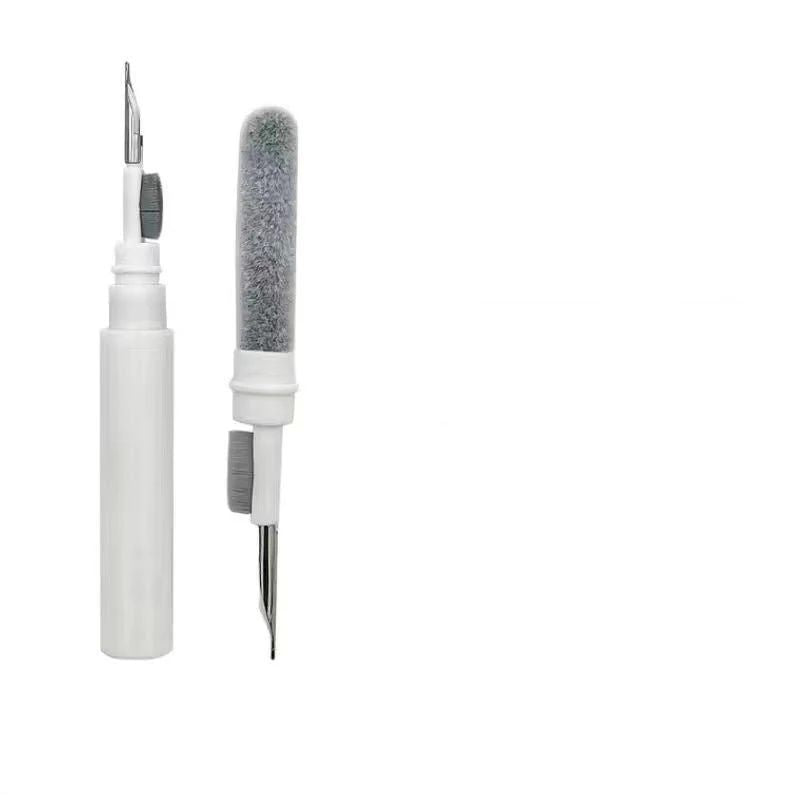
The metal nib
A fine point for lifting compacted debris out of a seam or a corner. It is the most effective tip and the one that needs the most restraint.
Use it to lift rather than to scrape, and never press it into a speaker mesh. Metal against mesh wins, and a torn grille cannot be repaired.
The flocking sponge
The finishing tip. A soft flocked head reaches into a small recess and picks up the fine dust the brush has loosened, which is why it is used last rather than first.
It is also the tip that suits camera lenses and glass, where anything firmer would leave marks.
The WLD Store pick: Earphone Cleaning Pen
WLD Store lists the Earphone Cleaning Pen in its Accessories and Chargers & Cables range. Here is what the listing states:
- Product: Earphone Cleaning Pen
- Brand: WLD
- Category: Accessories — Chargers & Cables
- Described as: a precision cleaning tool for earphones and wireless earbuds
- Other uses: the listing mentions charging ports, keyboards and camera lenses
- Tips: described as including a soft brush, a metal nib and a flocking sponge tip
- Availability: available across Saudi Arabia with secure checkout
- SKU: WLD-KSA-0061-(KD-KD0107)
Full images and current availability are on the Earphone Cleaning Pen product page.
Cleaning earbuds step by step
- Remove the silicone tips first. They come off easily, and most of the visible grime is on and under them rather than on the bud itself.
- Wash the silicone tips separately. Warm water and a little mild soap, then dry them completely before they go back on.
- Hold the bud grille downward. Gravity should work with you, so anything you loosen falls out instead of dropping further in.
- Brush the grille gently. Short strokes in one direction with the brush end of the earphone cleaning pen, not a circular scrub.
- Lift stubborn debris carefully. Only if the brush has failed, and only at the edge of the mesh rather than into it.
- Finish with the sponge tip. It collects the fine dust the brush has raised and leaves the surface clean rather than merely rearranged.
- Refit the tips only when dry. Damp silicone traps moisture against the bud, which is worse than the dirt you removed.
Cleaning the charging case
The case is dirtier than the earbuds and gets cleaned far less often, which makes it the best use of an earphone cleaning pen.
Start with the wells. Pocket lint and dust collect in the bottom of each recess and sit exactly where the charging contacts need to meet. Brush first, then use the sponge tip to lift what the brush loosened.
Be careful around the contacts themselves. They are small metal pads, and dragging a metal nib across them can scratch or bend them. The brush on an earphone cleaning pen is the right tool here.
Do the hinge and the lid seam as well. Grit in a hinge is what turns a crisp closing action into a gritty one, and it takes about ten seconds to clear.
Never put liquid into a charging case. If something needs moisture, put it on a cloth rather than into the case, and let everything dry fully before charging.
Charging ports: proceed with care
A blocked charging port is one of the most common phone faults, and it is usually compacted pocket lint rather than a hardware failure.
Power the device off first. Working inside a port on a live device is the one shortcut that turns a cleaning job into a repair bill.
Use the brush, not the metal nib. There are delicate contacts inside a charging port, and an earphone cleaning pen used carelessly there can bend a pin permanently.
Work the brush in gently, twist, and withdraw. Repeat two or three times rather than pushing harder, and tip the phone downward so what you loosen falls out.
If the port is still not charging after a careful clean, stop and take it to a technician. Persisting with tools inside a port is how a cheap fix becomes an expensive one.
What else it cleans well
Most people buy an earphone cleaning pen for earbuds and end up using it across a whole desk.
Keyboards are the obvious second job. The brush lifts crumbs and dust from between keys far more effectively than turning a keyboard upside down and hoping.
Camera lenses on a phone suit the sponge tip. Dust in the recess around the lens is what causes flare and softness in photographs, and it is easy to remove.
Speaker grilles on phones and laptops respond well to a gentle brush. A muffled phone speaker is very often just a dusty one, and an earphone cleaning pen fixes it in a minute.
Watch cases, fitness bands and the small seams around buttons are all reasonable targets. Anywhere dust collects in a groove is somewhere the brush can reach.
What never to do
A few habits cause most of the damage in this area, and they are all easy to avoid.
Do not pour alcohol or any liquid onto an earbud grille. Liquid carries debris inward and can reach the driver behind the mesh, which is the one part that cannot be cleaned.
Do not use a pin, a needle or a paperclip. They are harder and sharper than anything on an earphone cleaning pen, and they puncture mesh rather than clearing it.
Do not use compressed air into a port or a grille. It pushes debris further in at high pressure, which is the opposite of what you want.
Do not press hard anywhere. Everything in this job is done with light contact, and force is what turns a cleaning session into damage.
A sensible cleaning schedule
Doing a little often with an earphone cleaning pen is far easier than a rescue operation twice a year.
Weekly, brush the earbud grilles and wipe the silicone tips. It takes under a minute and is the single habit that keeps sound quality steady.
Monthly, clean the charging case wells and contacts, and give the phone port a gentle brush. An earphone cleaning pen kept in a desk drawer makes this realistic; one kept in a cupboard does not.
Every few months, wash the silicone tips properly and replace them if they have gone slack or discoloured. Tips are consumables and cheap to replace.
After the gym or a dusty day, do a quick brush the same evening rather than waiting. Sweat and dust together are much harder to remove once dried.
Common problems and quick fixes
- One earbud sounds quieter. Almost always a blocked grille rather than a fault. Brush that bud thoroughly and compare again before assuming the worst.
- A bud will not charge in the case. Debris between the contacts. Brush both the well and the bud contacts, and check nothing is stuck to the magnet.
- The phone charges only at certain angles. Compacted lint in the port. Power off and brush gently; if it persists, see a technician.
- The brush has gone limp. Normal wear. Wash it in warm soapy water, reshape and dry, and replace the tool when it no longer recovers.
Pen, cotton bud or compressed air
Three approaches are common, and only an earphone cleaning pen is designed for the job.
A cotton bud is too large for most openings and sheds fibres that stay behind. It is fine on a flat outer surface and poor inside anything recessed.
Compressed air is genuinely useful on a keyboard and genuinely risky in a port or a grille, because it drives dust inward and can force moisture with it.
An earphone cleaning pen is small enough to reach, soft enough not to damage and shaped to lift debris outward. It is the only option in the list designed around the actual problem.
Caring for the tool itself
An earphone cleaning pen is a cleaning tool, which is exactly why it needs cleaning itself.
Wipe the brush across a clean cloth after each use to shed what it has collected. A brush loaded with old dust just moves that dust to the next device.
Wash the brush occasionally in warm soapy water, reshape the bristles and let it dry fully before the cap goes back on. Trapped moisture flattens bristles permanently.
Keep the cap on an earphone cleaning pen between uses. An uncapped brush in a bag collects lint constantly, and the metal nib can scratch whatever it is stored against.
Replace the sponge tip when it stops picking up dust. That tip works by texture, and once it is saturated it simply smears.
Who should skip it
Anyone using over-ear headphones with fabric pads will find limited use for it. Those need a different approach, mostly washing removable pads rather than brushing a grille.
People who already own a good electronics brush and a proper lens cloth are close enough. An earphone cleaning pen combines them neatly, and it does not add a capability they lack.
Anyone hoping it will fix a genuinely broken earbud will be disappointed. It solves blocked-grille problems, and it cannot help with a failed driver or a dead battery.
Silicone tips: the part most people ignore
The removable ear tips carry most of the dirt and cost almost nothing to replace, yet they are the piece owners leave on for years.
Take them off during every proper clean. What is underneath is usually worse than what is on the outside, and no amount of brushing the grille helps if the tip itself is blocked.
Wash them in warm water with a little mild soap, rinse thoroughly and leave them to dry completely. Refitting damp tips traps moisture against the bud, which an earphone cleaning pen cannot undo later.
Replace them when the silicone goes slack, discoloured or loses its grip in the ear. A worn tip changes both the fit and the sound, and people often blame the earbuds for what a new set of tips would fix.
Travel and gym use
Earbuds live hardest lives away from the house, which is where a small tool earns its place.
In a gym bag, sweat and dust combine and dry into a film that is far harder to remove after a week. A brush over the grilles the same evening prevents almost all of it.
On a trip, sand and fine dust are the problem. Keeping an earphone cleaning pen in the same pouch as the charging case means the clean actually happens rather than waiting until you are home.
Airport and hotel charging ports collect their own share of lint, and a device that charges intermittently on holiday is often just a dirty port rather than a failing cable.
Cleaning shared and secondhand devices
A device that has been used by somebody else deserves a proper first clean before it goes near your ears.
Strip it down completely. Remove the silicone tips, wash them or replace them outright, and work over the grilles and case wells with an earphone cleaning pen before first use.
Replacing the tips is the more hygienic choice on any secondhand set. They are the part in direct contact, they are inexpensive, and a fresh set removes the question entirely.
Sharing earbuds between people is best avoided as a habit. Where it is unavoidable, a quick clean and a swap of tips between users is a sensible minimum.
Buying checklist
- Does it have all three tip types? Brush, fine point and soft flocked tip cover almost every small-device job.
- Is the brush genuinely soft? Stiff bristles scratch screens and lens coatings.
- Does it cap or retract? An exposed tip in a bag collects lint and scratches things.
- Is it small enough to carry? A tool in a laptop bag gets used; one in a cupboard does not.
- Are the tips replaceable? Brushes and sponges wear out long before the body does.
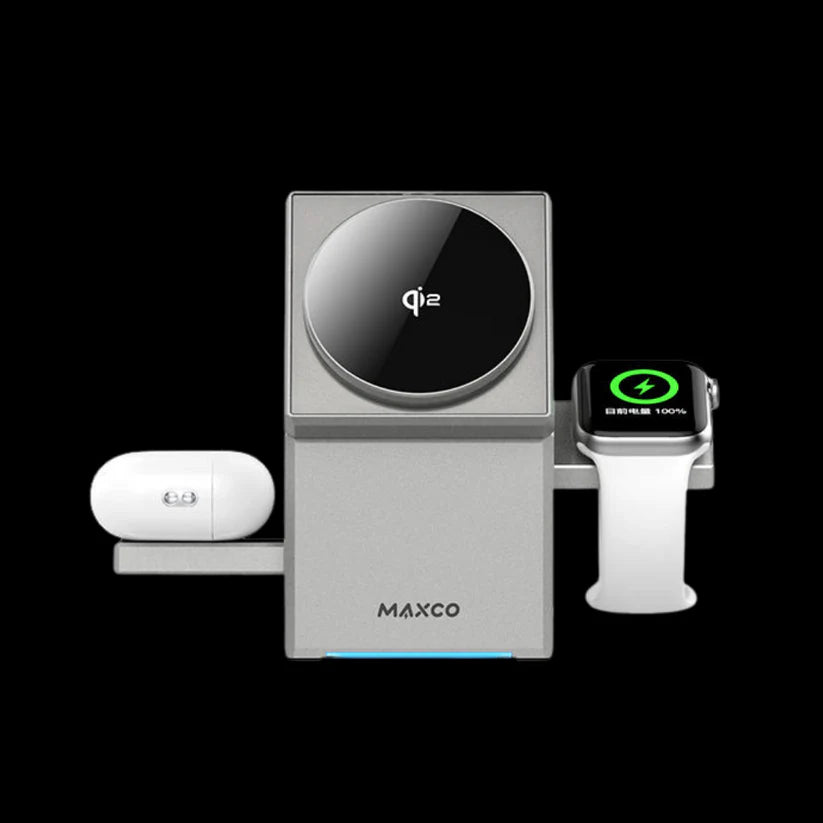
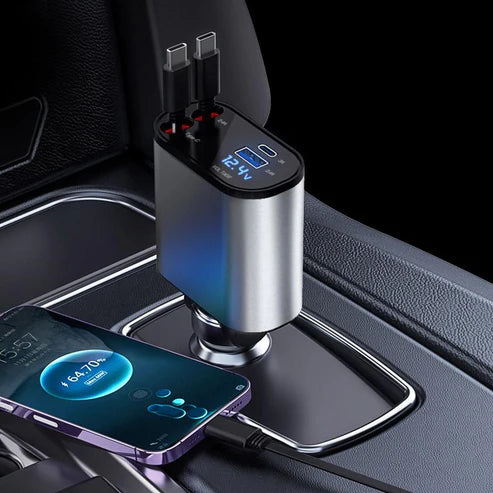
Other accessories picks at WLD Store
These related listings sit nearby in the Accessories range.

Frequently asked questions about an earphone cleaning pen
How often should I use an earphone cleaning pen?
A quick brush of the grilles weekly and a proper case clean monthly suits most people. Anyone who wears earbuds at the gym should add a short clean after sweaty sessions.
Is it safe to use inside a charging port?
Use the brush only, with the device powered off, and work gently. Never insert the metal nib into a port, because the contacts inside bend easily and repairing them is not a home job.
Can I use alcohol with it?
Not on a grille or into any opening. If you want to disinfect, apply a little to a cloth and wipe outer plastic surfaces only, keeping liquid away from mesh, ports and contacts.
Will it fix an earbud that sounds muffled?
Very often, yes. A blocked grille is the most common cause of muffled sound, and an earphone cleaning pen clears it in a couple of minutes. If it does not help, the fault is elsewhere.
Can I use it on a camera lens?
Use the soft brush and the flocked tip, never the metal nib. It works well on the dust that collects in the recess around a phone camera, which is what causes flare in bright light.
Do the tips wear out?
Yes. Brushes go limp and sponge tips stop picking up dust once they are saturated. Choose a model with replaceable tips if you plan to use it regularly.
Kept in a drawer and used for a minute a week, an earphone cleaning pen quietly extends the useful life of every small device you own. You can view the current listing on the Earphone Cleaning Pen page or browse more accessories in the Chargers & Cables section, with secure checkout and availability across Saudi Arabia.



Add comment