A magnetic phone cooler answers a problem that only appears once you push a phone hard: after twenty or thirty minutes of demanding play, frame rates start dropping and the back of the handset becomes uncomfortably warm. That slowdown is deliberate protective behaviour by the phone, and cooling the outside of the case is the practical way to delay it.
This guide explains why phones throttle, how attachable coolers work, what magnet strength and case thickness mean in practice, and how to avoid the condensation problem that catches new owners out. The MEMO Power Mobile Cooler listed at WLD Store for Saudi Arabia is used as the worked example, described only from what the listing states.
Why a magnetic phone cooler makes a difference
Phone processors are designed to run fast in short bursts and then settle down. In a slim aluminium and glass body there is nowhere for heat to go, so once internal temperature climbs, the phone reduces clock speeds to protect itself. That is thermal throttling, and it is the reason a game that ran smoothly at the start of a session stutters twenty minutes later.
Nothing an app can do changes this, because the limit is physical rather than software. Removing heat from the outside of the phone is the only lever available to a user, and a magnetic phone cooler is the most convenient way to apply it: it clamps to the back panel, pulls warmth away from the hottest area, and keeps the handset below the point where it starts defending itself.
Charging while playing compounds the problem considerably. Power delivery generates its own heat inside the phone at the same moment the processor is working hardest, which is why long sessions with a cable attached warm up much faster. A magnetic phone cooler with its own power source avoids adding to that load, which is the main argument for a battery-equipped model.
There is a comfort argument as well as a performance one. A phone that becomes genuinely hot is unpleasant to hold for an hour, and heat radiating into your palms during a long session is a distraction on its own. Even setting frame rates aside, keeping the back panel cool changes how a long session feels.
What makes a good magnetic phone cooler
Every magnetic phone cooler looks interchangeable in product photos but differ sharply in daily use. Four things decide whether one is worth keeping in a bag: how it attaches, how it removes heat, where its power comes from, and how much noise it makes.
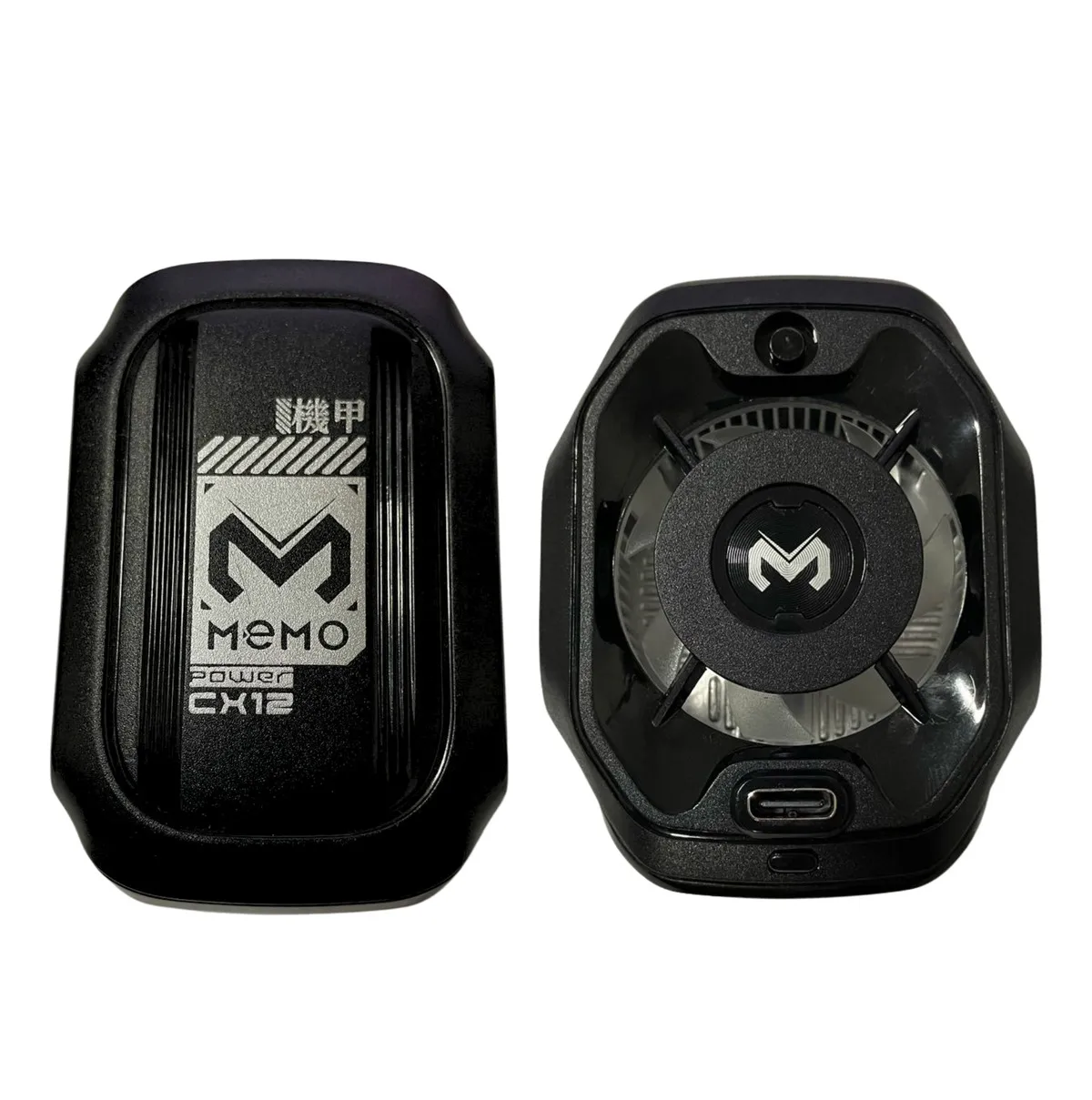
Magnet strength and attachment
Magnetic attachment is what separates a magnetic phone cooler from older clamp designs. A magnetic phone cooler drops onto the back of a handset in one movement, with no arms gripping the screen edges and nothing blocking the display. The catch is that magnets work through a limited thickness, so a thick or heavily armoured case weakens the hold. This model is listed as compatible with MagSafe and with all smartphones, which in practice means a metal ring or plate is what the magnets grab.
Semiconductor cooling and how it works
The listing describes semiconductor-powered cooling, which refers to thermoelectric cooling: passing current through a solid-state module so one face becomes cold while the other becomes hot. The cold face sits against the phone and the hot face is dumped into the air by a fan and fins. That is why a magnetic phone cooler feels genuinely cold to the touch rather than merely breezy, and why it needs clear airflow behind it.
Power source and built-in battery
Active coolers need continuous power. Cable-powered models are simple but tether the phone to a socket, which defeats the point of a handheld device. This unit is listed with built-in battery power, so a magnetic phone cooler of this type can be used on a sofa, in a car as a passenger, or anywhere else without a nearby outlet. The trade-off is one more thing to remember to recharge.
Noise and how it sits in the hand
Every magnetic phone cooler has a fan, and fan noise sits close to your ears when the phone is held at reading distance. Weight and balance matter too: a heavy unit mounted high on the back panel makes a phone top-heavy in landscape orientation, which is precisely the grip used for gaming. Check where the mass sits, not just how much of it there is.
The WLD Store pick: MEMO Power Mobile Cooler
Here is what the WLD Store listing states about this magnetic phone cooler for shoppers in Saudi Arabia, with nothing added beyond the listing.
- Category: Electronics
- Brand: MEMO
- Attachment: magnetic, clips onto the back of the handset
- Cooling method: semiconductor-powered cooling for temperature management
- Power: built-in battery
- Compatibility: MagSafe and all smartphones
- Intended use: intense gaming and long streaming sessions
- Market: available across Saudi Arabia
- SKU: WLD-KSA-0073-(KD-KD0204)
Images, variants and current availability for this magnetic phone cooler are on the MEMO Power Mobile Cooler product page, where orders are completed through secure checkout.
Setting up a magnetic phone cooler correctly
Getting the best from a magnetic phone cooler is mostly about placement and preparation. A few minutes spent here prevents the two most common disappointments: a weak hold and disappointing cooling.
- Charge it fully before the first session. A battery-powered cooler that dies halfway through a session is worse than none at all, because the phone then has a heat-insulating block stuck to it.
- Find the hot spot first. Play for ten minutes without the cooler and feel where the back panel gets warmest. That is where the cold plate should sit, not necessarily the middle.
- Remove a thick case. A magnetic phone cooler cannot pull heat through a thick layer of silicone, and the magnets will hold poorly as well. A thin case or no case gives far better results.
- Keep the exhaust clear. The hot side has to dump heat somewhere. Blocking the fins with a hand or a cushion makes the whole device far less effective.
- Attach it before you start, not after. Preventing a temperature rise takes much less work than reversing one.
- Watch for condensation. Cold surfaces in humid air collect moisture. Details on managing this follow below, and it is the single most important habit to learn.
Give it a minute to reach working temperature before judging it. A magnetic phone cooler is not instant, and the useful measure is whether frame rates hold up over a long session rather than how cold the back panel feels in the first thirty seconds.
Condensation: the thing nobody warns you about
A magnetic phone cooler using active thermoelectric cooling can bring a surface below the dew point of the surrounding air, and when that happens, moisture condenses out of the air onto the cold surface. On a phone that means water where you least want it, so this deserves a section of its own.
Understand when the risk is highest. Humid air and a very cold plate are the combination that produces condensation. Moving between an air-conditioned room and warm outdoor air is exactly the situation that makes a cold surface start to bead.
Remove the cooler and let things equalise. After a session, take the unit off and let the phone come back to room temperature naturally rather than putting it straight into a pocket or a bag while it is still cold.
Check the back panel before removing a case. If you see moisture, wipe it dry and let both parts air before reassembling. Trapping a film of water between a case and a phone is how a minor annoyance becomes a real problem.
Use a lower setting in humid conditions. Where a magnetic phone cooler offers more than one intensity level, the gentler setting produces a smaller temperature difference and much less risk of moisture forming.
Getting more from long gaming sessions
A magnetic phone cooler is one part of managing heat. These habits work alongside it and cost nothing.
- Avoid charging while playing where possible. Charging and heavy processing at once is the worst combination for heat. Start a session with a full battery instead.
- Close background apps. Anything downloading, syncing or recording in the background adds load and therefore heat.
- Drop the brightness slightly. The display is a significant heat source in a phone, and full brightness indoors is rarely necessary.
- Play away from direct sunlight. Ambient heat sets the floor that any cooler has to work down from. Sunlight on a screen also forces brightness higher.
- Take short breaks. Ten seconds between matches lets both the phone and a magnetic phone cooler catch up rather than fighting a rising baseline.
Frame-rate caps deserve a mention too. Running a game at a locked, slightly lower frame rate produces less heat and often feels more consistent than an uncapped setting that fluctuates as the phone throttles. Combined with a cooler, that is usually the smoothest arrangement available.
Care and maintenance
There is very little to maintain, but neglecting these few points shortens the life of any magnetic phone cooler.
- Keep the fins and fan free of dust. Blocked airflow on the hot side directly reduces cooling on the cold side. Compressed air clears it in seconds.
- Wipe the cold plate dry after each use. Any moisture left sitting on a metal plate encourages corrosion over time.
- Recharge before it is completely flat. Batteries in small accessories last longer when they are topped up regularly rather than repeatedly drained.
- Keep magnets away from cards. Bank cards, hotel keys and older magnetic media do not react well to strong magnets in a bag.
- Store it dry and out of direct heat. A hot car is a poor place for any battery-powered accessory.
Check the magnet ring on your case occasionally as well. Adhesive rings loosen over time, and a magnetic phone cooler that drops off mid-session usually points to a tired adhesive ring rather than a fault in the cooler itself.
Common problems and quick fixes
Four issues explain most complaints about a magnetic phone cooler, and each has a clear cause worth checking before assuming the device is faulty.
- It keeps falling off. The case is too thick, or the magnetic ring is misaligned or worn. Try it directly on the phone to confirm the magnets themselves are working.
- Cooling seems weak. Either the hot side is blocked, or the cold plate is not sitting over the hot spot on the phone. Reposition it and make sure the fins have open air behind them.
- Moisture appears on the phone. The plate is running colder than the dew point. Lower the setting, or use it in a less humid environment, and dry everything before reassembly.
- The battery does not last a session. Active cooling is power-hungry by nature. Charge fully beforehand, use a lower setting where available, and expect a shorter runtime than a passive accessory.
Magnetic attachment compared with clip-on coolers
The obvious alternative to a magnetic phone cooler is a clip-on cooler that grips the top and bottom edges of the phone, and the choice between the two comes down to what you value.
Clips hold onto almost anything, including thick cases and tablets, and they do not depend on a magnetic ring being present. That universality is genuinely useful if you switch devices often or use a heavy protective case that you have no intention of removing.
A magnetic phone cooler wins on speed and on screen access. It attaches in a single movement with no arms crossing the display edges, which matters in games where controls sit near the corners. It also positions itself consistently, so the cold plate lands in the same place every time rather than wherever the clip happens to grip.
Where magnets lose is with thick cases and non-magnetic setups. If your phone has no magnet ring and you will not add one, a clip is simply the more practical mechanism, and no amount of magnet strength compensates for a case that blocks it.
Who this accessory is not for
Casual users do not need a magnetic phone cooler. If your phone only gets warm occasionally during a video call or a navigation session, that is normal behaviour and not something an accessory needs to solve. A magnetic phone cooler is aimed at sustained heavy load, not at ordinary daily use.
It is also awkward for anyone committed to a thick protective case. Cooling and magnet strength both fall away sharply with case thickness, and a buyer who will not remove a rugged case is unlikely to be satisfied with the results.
Finally, it is not a fix for a phone that overheats during normal tasks. A handset that becomes hot while browsing or messaging may have a battery or software problem, and strapping a cooler to the outside masks the symptom rather than addressing whatever is causing it.
Buying checklist
Five things to confirm before ordering a magnetic phone cooler for your setup.
- Does your phone or case have a magnet ring? Without one, magnetic attachment has nothing to hold on to.
- How thick is the case you actually use? Thin cases work; heavily armoured ones do not.
- Do you need a built-in battery? A cable-free cooler is more flexible but adds another device to recharge.
- How humid is your usual environment? Humidity is what determines how careful you need to be about condensation.
- Can you tolerate fan noise? Active cooling is never silent, and the fan sits close to your ears.
Other electronics picks at WLD Store
These three products sit near the magnetic phone cooler in the WLD Store catalogue and cover other desk and home needs.
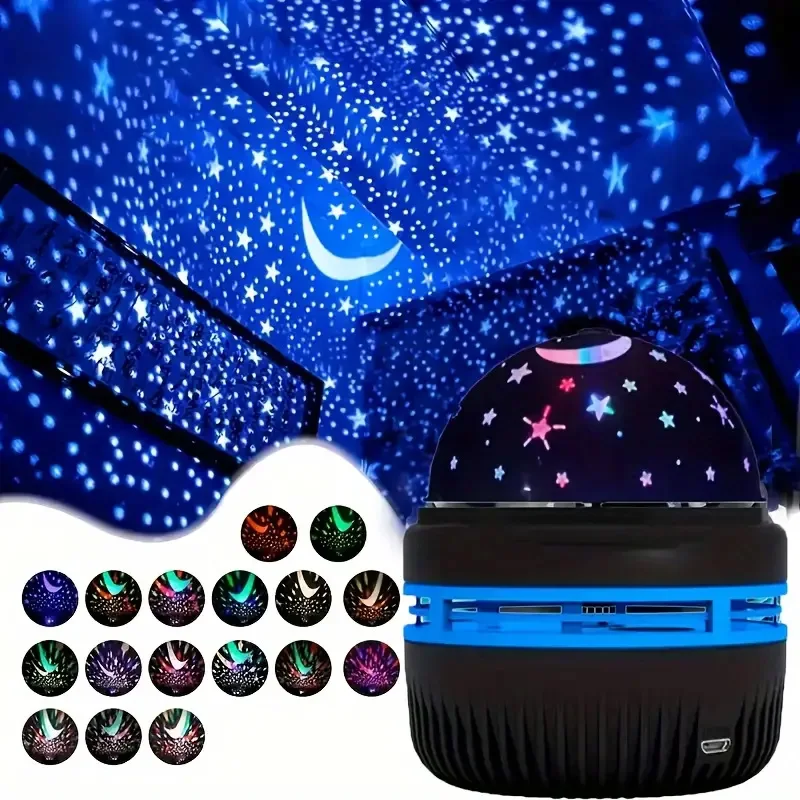
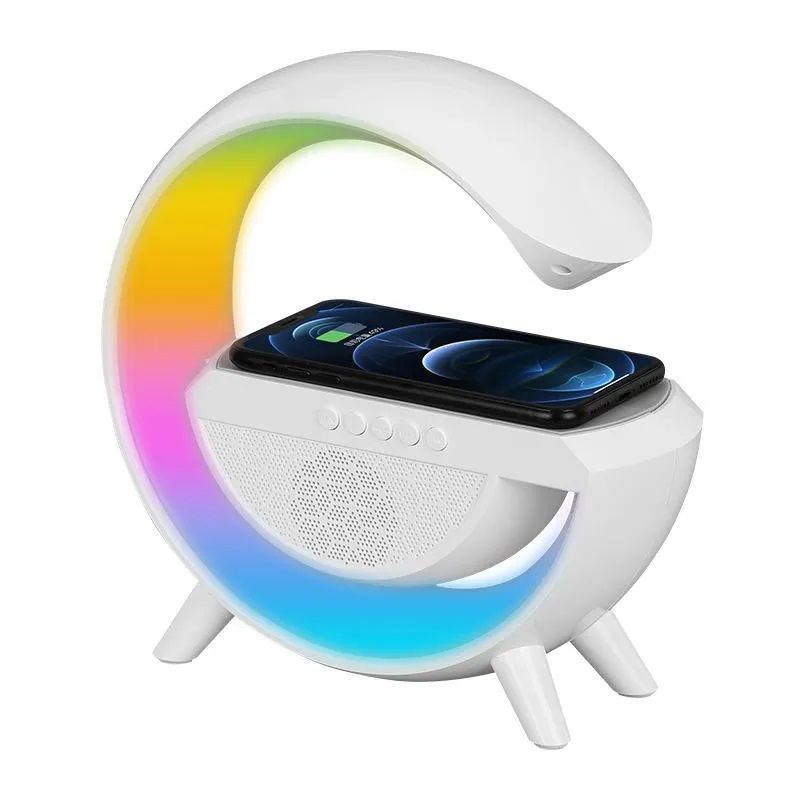
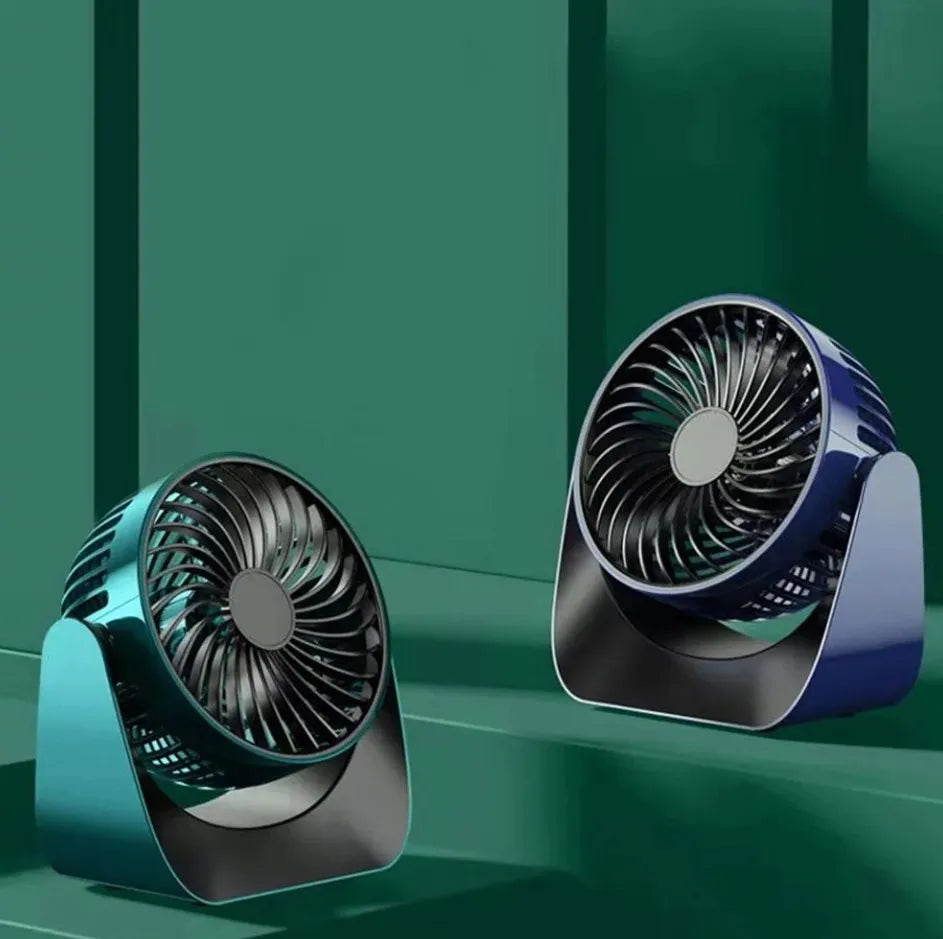
The Galaxy Star Projector Night Light covers bedroom ambience, the LED Wireless Charger Speaker combines charging and audio on a desk, and the 360° Rotate Desktop Fan handles personal airflow. Each has its own listing.
Frequently asked questions about a magnetic phone cooler
Will it work with my phone case on?
A thin case is usually fine, and many people leave one on without much loss. Thick silicone and rugged armoured cases are the problem, because they weaken magnetic hold and insulate the phone from the cold plate at the same time. Testing with and without the case is the quickest way to know.
Does it damage the phone battery?
Keeping a phone cooler is generally better for a lithium battery than letting it run hot, since sustained heat is one of the things that ages cells. The risk to watch is moisture rather than temperature, which is why the condensation habits described above matter more than anything else.
How long does the built-in battery last?
Active cooling draws real power, so runtime is measured in a session rather than a day. Check the product page for the figures on your variant, charge it fully before a long session, and use a lower intensity setting when maximum cooling is not needed.
Is a magnetic phone cooler noisy?
Every active cooler has a fan, and the fan is close to your ears when the phone is held at normal distance. Most people find it disappears under game audio or headphones. If you play in silence in a quiet room, it will be noticeable.
Can I use it while charging the phone?
You can, but it works against you. Charging generates heat inside the handset at the same time the processor is working, which is more heat than any external cooler is designed to handle. Starting with a full battery and playing unplugged gives much better results.
Does it help with video recording or streaming too?
Yes, and those are often harder on a phone than gaming. Long video capture and live streaming both keep the processor and modem busy for extended periods, which is exactly the sustained load that causes throttling. The same setup advice applies.
Used sensibly, a magnetic phone cooler keeps a long session consistent instead of letting it slide into stuttering after the first twenty minutes. Attach it before you start, keep the exhaust clear, watch for condensation, and charge it in advance. The full listing is on the MEMO Power Mobile Cooler page, and you can browse the wider range in the Mobile & Accessories section.




Add comment