A wireless fast charging station solves a problem most people have quietly accepted: three devices, three different cables, and a nightstand that looks like the back of a television. Putting the phone, the watch and the earbuds on one pad means one plug in the wall, one thing to pack, and nothing to fumble for in the dark.
This guide explains how a wireless fast charging station actually works, what limits charging speed in real use, how cases and credit cards interfere, where to put the dock so it earns its place, and how to keep it working for years. The WLD Store pick is covered in full, along with the six questions shoppers ask most before buying one.
Why a wireless fast charging station is worth the desk space
The obvious benefit of a wireless fast charging station is cable reduction, and it is a bigger deal than it sounds. A phone cable, a watch puck and an earbuds cable all want a different plug shape, and every one of them eventually frays at the connector. Consolidating to a single mains plug removes both the tangle and the slow attrition of cables that stop working at the worst moment.
The second benefit is behavioural. Plugging a cable in is a decision, and it is one people skip when they are tired. Putting a phone down on a surface is not a decision at all, which is why people who switch to a wireless fast charging station generally end up with better charged devices than they had before, without changing anything about their habits.
Third, a wireless fast charging station gives small items a fixed home. Earbuds go missing because they have no assigned spot. A dock with a defined cradle for them turns that into a solved problem, and the same applies to a watch that otherwise ends up on a bedside book.
The honest counterweight is that inductive charging is less efficient than a cable, and it will usually be slower for the phone. If your priority is getting from ten per cent to full in the shortest possible time, a cable still wins. Most people are charging overnight or topping up while they work, and in that context the difference does not matter.
What to look for in a wireless fast charging station
Once you start comparing wireless fast charging station models the specifications blur together. In practice, four things determine whether a dock is pleasant to live with, and none of them is the headline number on the box.
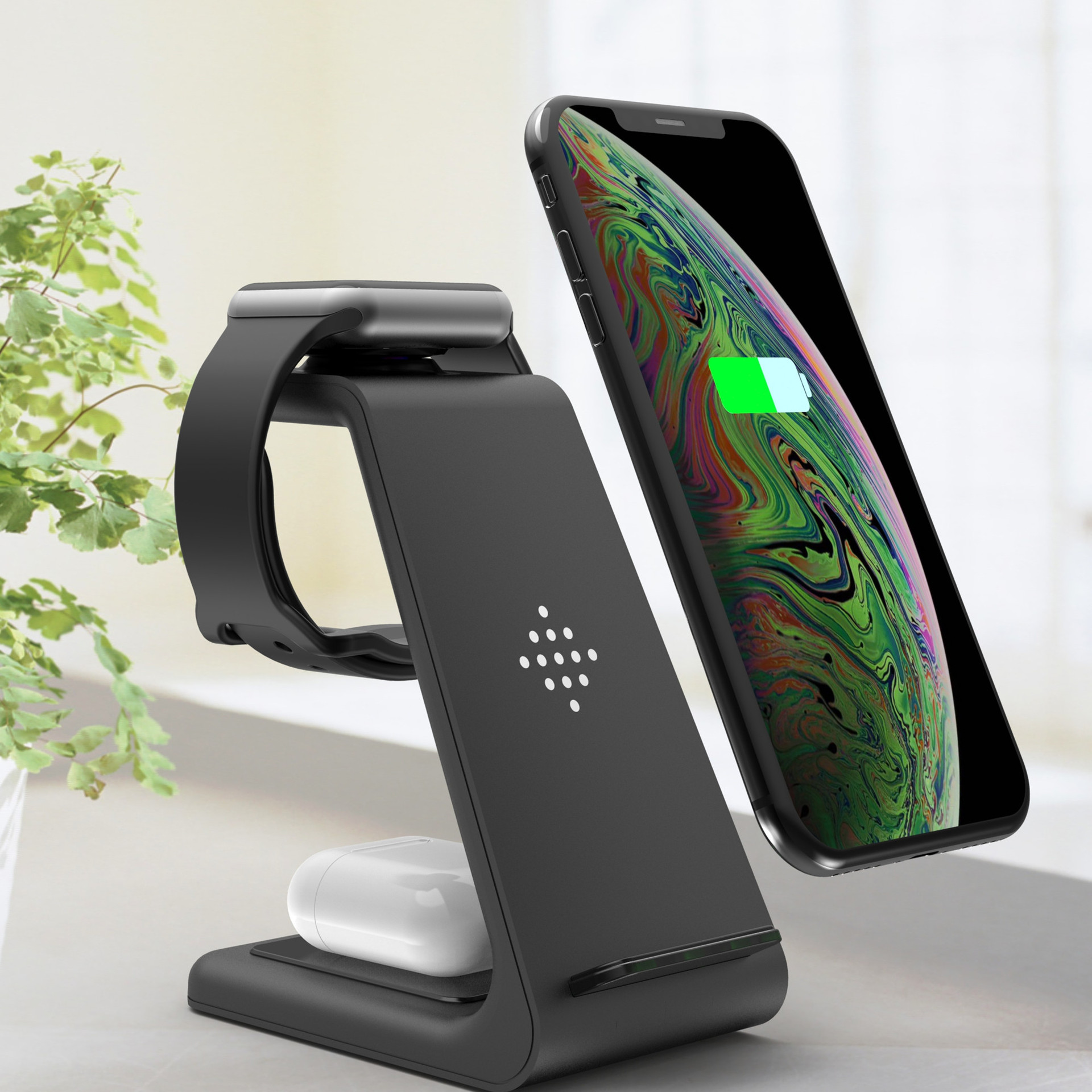
Coil layout and alignment
A wireless fast charging station only works when the transmitting coil in the pad lines up with the receiving coil in the device. Miss by a centimetre or two and charging either drops to a crawl or stops entirely. This is the single most common reason people are disappointed by a wireless fast charging station, and it is almost always a placement problem rather than a fault.
Look for a design that guides the device into position: a raised lip, a shaped cradle, a stand angle, or magnets that pull the phone into place. A completely flat, featureless pad works perfectly when you put the phone down carefully and works badly when you drop it down in the dark.
Charging speed and what actually limits it
Speed is decided by the slowest link in the chain, and the wireless fast charging station is rarely that link. The wall adapter matters, the cable between adapter and dock matters, and the device’s own charging management matters most of all. A phone that has decided it is warm will throttle its intake regardless of what the pad can supply.
The practical implication is that you should not judge a wireless fast charging station by the number printed on the box alone. Judge it by whether it holds alignment, whether it stays cool, and whether it charges all three devices at once without one of them dropping out.
Heat management
Some energy is always lost as heat inside a wireless fast charging station during inductive transfer, which is simply how the physics works. A well-designed dock spreads that heat and lets it escape; a poorly designed one traps it against the back of the phone. Heat is the main enemy of lithium battery longevity, so this is worth caring about.
Ventilated bases, metal contact areas and a slight standoff between the device and the surface all help. If a dock makes your phone noticeably hot rather than mildly warm, that is a reason to move it out of the sun and off soft surfaces before it is a reason to return it.
Build, footprint and the cable question
Measure the space your wireless fast charging station will occupy. A stand-style unit takes less desk area but needs headroom; a flat tray needs more surface but disappears under a monitor arm. Weight matters more than people expect, because a light dock lifts off the desk when you pull the phone away one-handed.
Check what the dock is powered by and whether an adapter is included, since that detail decides whether it performs at its best on day one. A dock supplied with an underpowered adapter will feel slow through no fault of its own.
The WLD Store pick: 3-in-1 Wireless Fast Charging Station
These are the details WLD Store publishes for this product, with nothing added or assumed:
- Product: 3-in-1 Wireless Fast Charging Station
- Brand: WLD
- Category: Electronics
- Description: charges phone, watch and earbuds together on one fast wireless dock
- SKU: WLD-US-0005-(CJ-CJSJSJSJ00914)
- Availability: available across the USA through secure checkout
The three-devices-at-once part is the whole point. A single-device pad saves you one cable; a three-in-one wireless fast charging station replaces the entire nightstand arrangement, and that is a different kind of upgrade. Full images, options and current details are on the 3-in-1 Wireless Fast Charging Station product page.
Setting it up properly the first time
- Choose the surface before the spot. A wireless fast charging station wants ground that is hard, flat and stable. Docks on soft surfaces such as a folded blanket or a stack of paper trap heat underneath and charge more slowly as a result.
- Use a capable adapter. An old low-output phone charger will run the dock, but it will run it at a fraction of what it can do. This is the most common self-inflicted slowdown.
- Do the alignment test in daylight. Place the phone, wait ten seconds, and confirm it is charging. Then note where the edges sit relative to the dock so you can repeat it blind at midnight.
- Set the cable length deliberately. Leave just enough slack to lift the dock for cleaning and no more. A long loop of spare cable is the thing that drags the whole unit off the desk.
- Check all three positions at once. Some devices only reveal a conflict when everything is charging simultaneously, so test the full load before you decide where the dock lives permanently.
Ten minutes of setup prevents the most common complaint about any wireless fast charging station, which is waking up to a phone that never charged because it was two centimetres out of position.
Cases, cards and what blocks the charge
Most slim cases work perfectly well on a wireless fast charging station. Plastic, silicone and leather in normal thicknesses do not meaningfully interfere with inductive transfer, and you can leave them on. The problems start when the case is thick, when it is a rugged armoured type, or when it has a metal plate for a magnetic car mount.
Metal is the absolute blocker. A metal ring, a magnetic mount plate or a metal kickstand between the phone and the pad will stop charging or reduce it to almost nothing, and in the worst case the plate itself will get warm. If a phone refuses to charge on a dock that works with other devices, the case is the first thing to remove.
Cards are the other trap. Wallet cases holding credit cards, hotel keys or transit passes sit exactly where the coils are, and the changing magnetic field can damage older magnetic stripes. Take the cards out before the phone goes on a wireless fast charging station, or use a wallet case that keeps them clear of the centre.
Getting the fastest realistic charge
Take the case off before using the wireless fast charging station if you are in a genuine hurry. Even a case that charges perfectly well adds a millimetre or two of separation, and separation costs efficiency. It is not usually worth doing daily, but it makes a measurable difference when you have twenty minutes before leaving.
Keep the room cool and the dock out of direct sunlight. A phone in a sunny window will throttle its own charging to protect the battery, and no amount of charger capability overrides that decision. Moving the dock a foot into shade often does more than upgrading anything.
Put the phone face down if you want it to charge without waking up for every notification. Screen-on time is drawn from the same supply, so a phone that lights up thirty times an hour is charging against itself. Do not do this if you rely on hearing alarms through the speaker.
Finally, be realistic about what a wireless fast charging station is for. It is a maintenance device that keeps everything topped up through the day and full by morning. Racing a cable is not the job, and choosing hardware as though it were leads to disappointment.
Battery health and overnight charging
Lithium batteries age fastest when they are hot and when they sit at a very high state of charge for long periods. Overnight charging combines both, which is why most modern phones and watches now include some form of optimised or adaptive charging that holds at eighty per cent until shortly before your usual wake-up time.
Turn that feature on if your device offers it, whatever wireless fast charging station you use. It is the single most effective thing you can do for long-term battery life, and it costs nothing. The dock plays no part in that decision, because the device controls its own intake.
Avoid charging under a pillow or beneath a duvet. It is the classic heat trap and it is genuinely worth avoiding. The point of a nightstand wireless fast charging station is that everything sits in the open air where heat can escape.
For earbuds, the same logic applies in miniature. Leaving a case on a dock for a week continuously is not a disaster, but taking it off once it is full is slightly kinder to it, and it frees the position for something else.
Travel, packing and the second dock question
A three-in-one wireless fast charging station is a strong travel item precisely because it replaces three cables in a bag. If you travel often, check whether the unit folds flat or collapses, because a rigid stand is awkward to pack and vulnerable to being crushed.
Consider the plug situation abroad. The dock itself is usually agnostic, but the adapter is not, and a travel adapter that cannot supply enough power turns a fast dock into a slow one. Packing the original adapter and a plug shape converter beats buying a cheap replacement at the airport.
Many people end up with two docks: one permanently on the nightstand and a second at the desk or in the bag. Once you are used to putting devices down rather than plugging them in, going back to cables in one room feels like a downgrade, and a second wireless fast charging station is a small purchase to fix that.
Care and maintenance
Weekly: wipe the wireless fast charging station surfaces with a dry microfibre cloth. Dust and grit sit between the device and the pad, adding separation and scratching both surfaces over time.
Monthly: unplug and check the cable at both ends for kinks and heat discolouration. Cable damage at the connector is the most common failure point in the whole setup and it is easy to spot early.
Occasionally: lift the dock and clean under it. Trapped dust reduces ventilation and, on a desk, a build-up underneath can make the base rock slightly, which is enough to break alignment.
Never: spray cleaner directly onto it, or put anything metallic on the pad, including keys and coins. A key left on a charging pad can heat up, which is the one genuinely avoidable hazard in normal use.
If you store it: coil the cable loosely rather than tightly around the body, since tight winding is what breaks the internal conductors near the plug.
Common problems and quick fixes
- Charging starts then stops. Usually alignment drift or a notification waking the screen. Reposition the device, then check whether a thick case is holding it slightly proud of the surface.
- One position works and another does not. Test each position with a different device to work out whether the fault is the dock or the device. A watch that will not charge often needs its own back cleaned rather than anything else.
- Everything charges slowly. Nine times out of ten this is the wall adapter, not the wireless fast charging station. Swap in a higher-output adapter before considering anything else.
- The phone gets hot. Move it out of sunlight, take it off soft surfaces, remove a thick case, and stop using it heavily while it charges. Persistent heat with none of those factors present is a reason to stop using that unit.
Who should skip it
If you charge exclusively in the car, a wireless fast charging station on a desk solves nothing and a car mount with a cable is a better purchase. Similarly, if you need to use the phone in your hand while it charges, wireless is the wrong technology, because lifting it off ends the charge.
People with only one device to charge get much less from a three-in-one design. The value is in consolidating a phone, a watch and a set of earbuds; with a phone alone, a simple single pad costs less and takes less room.
Anyone whose phone lives inside a heavy rugged case, or a wallet case stuffed with cards, should either plan to change the case or stay with cables. A wireless fast charging station cannot work through several millimetres of armour, and no model can.
Buying checklist
- Do you genuinely have three devices to charge, or would a single pad do the job for less?
- Does the design hold your phone in alignment, or is it a flat pad you have to aim at carefully?
- Will your current case work, and are you willing to change it if not?
- Do you have a capable wall adapter, or does the price of one need adding to your decision?
- Where exactly will it sit, and is that spot hard, level, ventilated and out of direct sun?
Those five questions filter out most bad wireless fast charging station purchases. The first and third catch more people than the specifications ever do.
Other electronics picks at WLD Store
Three more from the WLD Store electronics range that suit the same kind of setup:
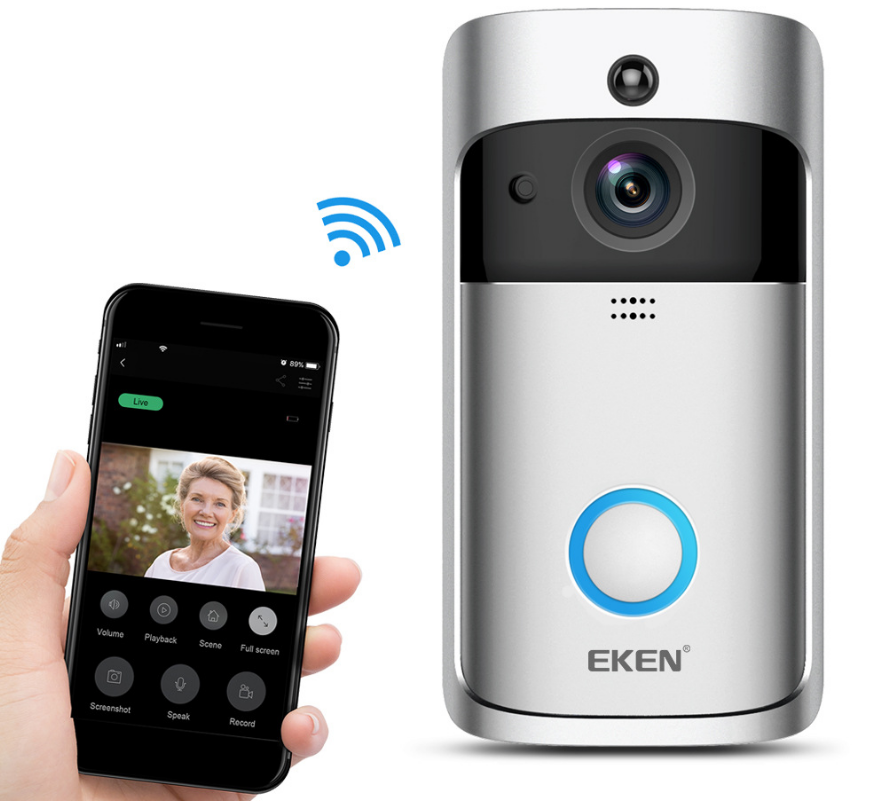
Smart WiFi Video Doorbell Camera — a connected doorbell camera for anyone already building out the smart side of the house.
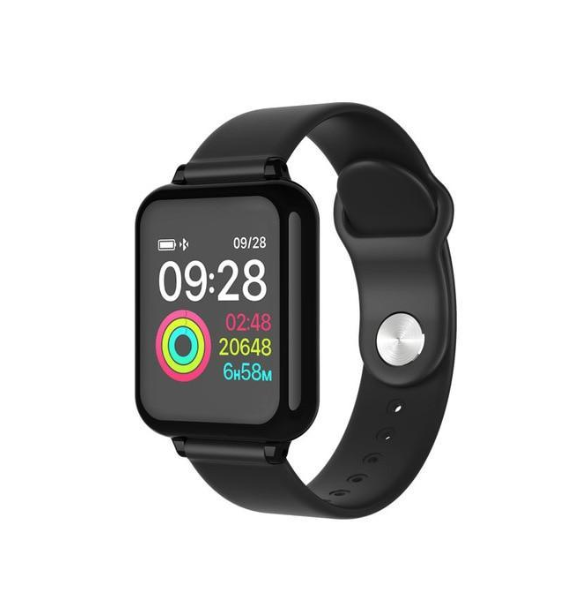
B57 Color Screen Smart Sports Watch — a colour screen sports watch, and exactly the sort of device that ends up living on the watch position of a dock.
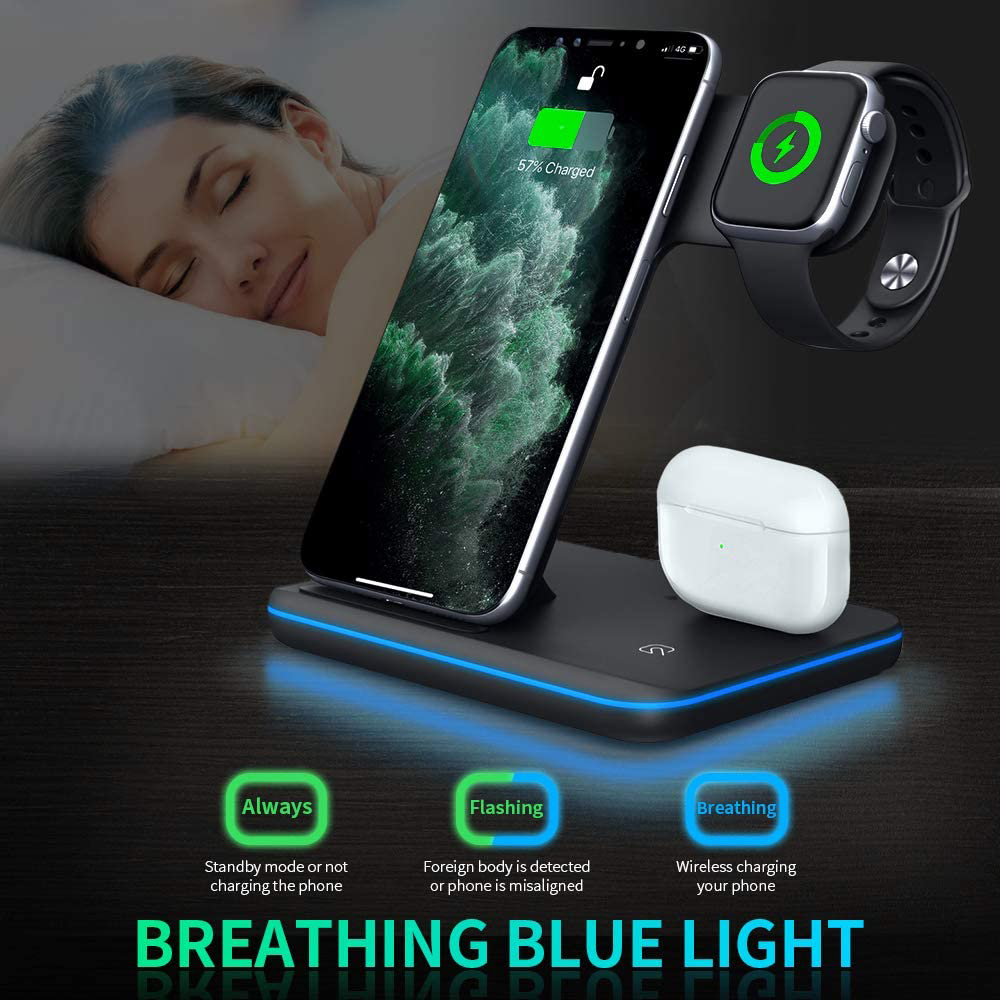
3-in-1 Wireless Charger for Phone, Watch and Earbuds — the alternative three-device charger in the range, worth comparing side by side before you choose.
Everything else is in the WLD Store shop.
Frequently asked questions about a wireless fast charging station
Will a wireless fast charging station work through my case?
Most slim plastic, silicone and leather cases are fine and can stay on. Thick rugged cases, anything with a metal plate for a car mount, and wallet cases holding cards are the three that cause trouble. If in doubt, remove the case once to confirm the dock itself is working.
Is wireless charging bad for the battery?
Not inherently. Heat and long periods at full charge are what age a battery, and both can happen on a cable too. Keeping the dock out of the sun, off soft surfaces and enabling your device’s optimised charging setting covers the realistic risks.
Why is my phone charging so slowly?
Check the wall adapter first, then alignment, then heat, then the case. In that order those four explain almost every complaint. A dock supplied without an adapter and paired with an old low-output one will always feel disappointing.
Can I charge all three devices at the same time?
That is the entire purpose of a three-in-one design, and it is worth testing the full load on day one rather than discovering a conflict weeks later. Test with your actual devices, in your actual cases.
Does a wireless fast charging station use power when nothing is on it?
It draws a small standby amount, as any plugged-in adapter does. It is minor, but if it sits in a bedroom you may notice a status light, so look for a model whose indicator is dim or can be covered.
Can I put it on a metal desk?
Generally yes, since the transfer happens between the pad and the device above it rather than through the base. What you must not do is put metal objects such as keys or coins on the charging surface itself.
The short version
Buy a wireless fast charging station for alignment and heat handling rather than headline numbers, pair the dock with a capable adapter, keep it on a hard ventilated surface out of the sun, and take the cards out of your case. Do that and three devices stay charged with no cables and no thought.
The WLD Store option described above is the 3-in-1 Wireless Fast Charging Station, which charges phone, watch and earbuds together on one dock and is available across the USA through secure checkout. The rest of the range is in the Electronics section. If you want the underlying theory, the English Wikipedia article on inductive charging explains the physics clearly.






Add comment