A phone cooling fan is a small clip-on accessory with a very specific job: pull heat off the back of a handset faster than the handset can shed it on its own. Anyone who has watched a game get choppy after half an hour, or seen a camera app refuse to keep recording, has met the problem it is designed to solve.
This guide covers how clip-on coolers attach, what semiconductor cooling means in practice, how to power one without making the heat problem worse, and where the honest limits of the idea lie. The Mobile Phone Semiconductor Radiator Cooler listed at WLD Store for Saudi Arabia serves as the example, described only from what its listing says.
Why phones overheat and what a phone cooling fan does
Heat inside a phone comes mostly from the main processor working hard, with the screen and the charging circuit adding to it. A phone has no fan and no vents, so all of that heat has to travel out through the body itself. When the internal temperature climbs past a threshold, the software steps in and slows the processor down to protect the hardware.
That protective slowdown is the thing people actually notice. Games drop frames, video recording stops, downloads crawl and the whole device feels sluggish, all while the battery drains faster than usual. A phone cooling fan attacks the cause rather than the symptom by giving the outside of the phone somewhere to dump warmth.
The difference between passive and active cooling matters here. A metal plate or a case with fins is passive: it spreads heat but relies on still air to carry it away. An active phone cooling fan moves air deliberately and, in this design, adds a semiconductor element that actively pushes heat from one surface to another. That is a substantially larger effect than airflow alone.
None of this makes a phone faster than its design allows. What a phone cooling fan does is keep the handset below the temperature at which it starts holding itself back, so you get the performance the phone was already capable of for longer than you otherwise would.
What makes a good phone cooling fan
A phone cooling fan is a simple device, and that simplicity is where the differences hide. Four things determine whether one is genuinely usable: how the clip grips, how heat is actually moved, how it is powered, and how much noise and bulk it adds.
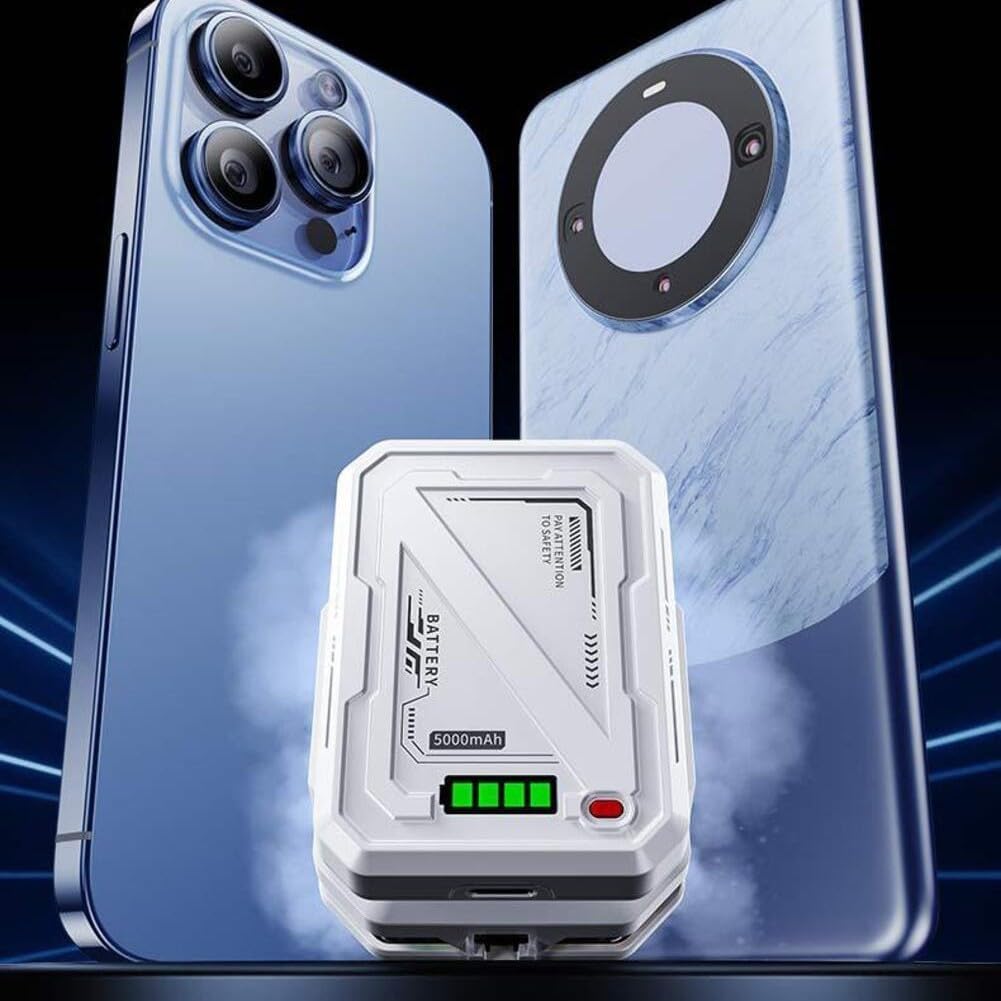
Clip design and grip range
The clamp is what makes a phone cooling fan universal. Spring-loaded jaws grip the top and bottom edges of a handset regardless of brand, which is why this model is listed as compatible with all smartphone brands. Two details are worth checking on any phone cooling fan: how wide the jaws open, since large handsets and thick cases need range, and how far the jaws intrude onto the screen, because controls in games often sit near the very edge of the display.
Semiconductor cooling versus plain airflow
A plain fan blows ambient air across a warm surface, which helps but is limited by the temperature of the room. Semiconductor cooling, the technology this unit is listed as using, drives heat from one face of a small module to the other so the contact plate becomes genuinely cold rather than merely ventilated. In a warm climate that distinction matters, because a phone cooling fan relying on air alone has very little headroom on a hot afternoon.
Power draw and how it is supplied
A phone cooling fan of this kind typically draws power over a cable, and this one is listed as having low power consumption. That is a practical advantage: a modest draw can be supplied comfortably from a power bank, a laptop port or a wall adapter without needing anything special. It also means the cable becomes part of your setup, so plan where it will run before a long session.
Noise, weight and balance
The listing describes silent operation, which is the quality people appreciate most in practice. A cooler that whines is a cooler that gets left in a drawer, particularly for anyone who plays without headphones or uses the phone for calls. Weight matters as well: a clip mounted at one edge shifts the balance of the handset, and a heavy phone cooling fan makes a phone feel lopsided in landscape grip.
The WLD Store pick: Mobile Phone Semiconductor Radiator Cooler
Here is what the WLD Store listing states about this phone cooling fan for shoppers in Saudi Arabia. Nothing beyond the listing itself is claimed here.
- Category: Electronics
- Brand: WLD
- Attachment: compact clip-on design
- Cooling method: semiconductor technology to rapidly reduce phone temperatures
- Compatibility: works with all smartphone brands
- Noise: silent operation
- Power: low power consumption
- Intended use: long gaming and streaming sessions
- Market: available across Saudi Arabia
- SKU: WLD-KSA-0072-(KD-KD0203)
Photographs, variants and current availability for this phone cooling fan are on the Mobile Phone Semiconductor Radiator Cooler product page, where orders go through secure checkout.
Fitting a clip-on phone cooling fan properly
Fitting a phone cooling fan looks obvious and is where most of the performance is won or lost. Run through these points the first time and the rest becomes automatic.
- Locate the warm area first. Run the phone hard for ten minutes and feel the back. On most handsets the hottest zone is nearer the camera end than the centre, and that is where the contact plate belongs.
- Clip across the short edges. Gripping the long sides blocks volume and power buttons and interferes with how you hold the phone in landscape.
- Check screen intrusion before committing. Open the game you actually play and confirm the jaws do not cover any controls.
- Mind the screen protector. Clip pressure at the very edge of a glass protector can lift or chip it. Position the jaws slightly inboard of the protector edge where possible.
- Thin case or no case. A phone cooling fan cannot draw heat efficiently through thick silicone, so a slim case gives noticeably better results.
- Route the cable away from your hands. Decide which side the cable exits before a session rather than fighting it mid-game.
Give the contact plate a wipe before clipping it on. Dust and skin oil between the plate and the phone reduce contact quality, and a phone cooling fan works entirely through that contact patch, so a clean, flat surface on both sides is worth ten seconds of attention.
Beyond gaming: when else it helps
Gaming gets the attention, but a phone cooling fan helps with several other tasks that push a phone just as hard and for longer.
Video recording. Long clips at high resolution keep the processor and the image pipeline busy continuously, which is one of the most reliable ways to make a phone shut a camera app down. Filming an event or a match is exactly the situation where an attached cooler earns its keep.
Live streaming and video calls. Encoding video while holding a network connection is sustained work, and it happens with the screen on at high brightness. Long calls in a warm room heat a handset more than people expect.
Navigation in a car. A phone mounted on a windscreen in direct sun, running maps and charging at the same time, faces the worst combination available. Shade helps most, but a phone cooling fan also makes a real difference on a long drive.
Hotspot use. Sharing a connection for an extended period keeps the modem working hard, and modems generate meaningful heat. A phone acting as a hotspot all afternoon is doing continuous work even though the screen is off.
Powering it without making things worse
The power arrangement is where a lot of the benefit is either kept or thrown away, and it is worth thinking through before a long session.
- Prefer a separate power source. A power bank or a wall adapter running the cooler leaves the phone free to run on its own battery without charging heat.
- Avoid charging the phone at the same time if you can. Charging generates heat inside the handset, which works directly against the cooler attached to the outside.
- Use a cable long enough to be comfortable. A short cable pulls on the clip and can drag it out of position mid-session.
- A laptop port is fine for low-draw devices. Low power consumption means a standard port can usually supply it without complaint.
- Start sessions with a well-charged phone. The simplest way to avoid needing a charger and a phone cooling fan at the same time is to begin with enough battery.
If you must charge and cool simultaneously, expect reduced results and plan around it. The heat from charging is generated inside the phone, and no accessory clipped to the outside removes it as efficiently as simply not creating it in the first place.
Care and maintenance
A phone cooling fan needs very little attention, but the little they need makes a difference to how long they last.
- Keep the vents and fins clear. Dust reduces airflow on the hot side, and a blocked hot side directly limits how cold the contact plate can get.
- Wipe the contact plate after use. Cold metal in humid air attracts moisture, and moisture left on a plate encourages corrosion.
- Check the clip springs occasionally. A jaw that no longer grips firmly will slip, and a phone cooling fan that slips mid-session can drop a handset.
- Inspect the cable and connector. Repeated clipping and unclipping flexes the cable near the plug, which is where cables usually fail first.
- Store it unclipped. Leaving spring jaws compressed for months weakens them.
Watch the rubber pads on the jaws too. They protect the phone from the clamp, and once they wear through, metal meets glass. Replacing worn pads or retiring the unit is cheaper than a scratched handset.
Common problems and quick fixes
Four issues account for nearly every complaint about a phone cooling fan, and none of them usually indicate a faulty device.
- It barely seems to cool anything. Almost always a case in the way or the plate sitting away from the hot zone. Remove a thick case, reposition, and retest.
- The clip covers part of the screen. Rotate the phone so the jaws grip the opposite edges, or shift the unit slightly along the edge until game controls are clear.
- Moisture forms on the back of the phone. Semiconductor cooling can take a surface below the dew point in humid air. Unclip afterwards, dry both surfaces, and let the phone return to room temperature before putting it away.
- Performance still drops in long sessions. Check whether the phone is charging while playing, whether brightness is at maximum, and whether the room itself is hot. A phone cooling fan works down from ambient temperature, not from zero.
Active cooling compared with the free alternatives
Before buying anything, it is worth knowing what costs nothing. Taking the case off, lowering screen brightness, closing background apps and capping frame rates all reduce heat, and together they can be enough for moderate use.
A metal cooling plate or a finned case is the next step up and needs no power at all. Passive accessories spread heat over a larger surface, which helps in a cool, ventilated room. Where they run out of headroom is on a hot day, because passive cooling can never take a surface below the temperature of the surrounding air.
An active phone cooling fan is the option that keeps working when the room itself is warm. The semiconductor element does not depend on ambient air being cool, which is precisely why it suits a hot climate better than a passive plate. The cost is a cable, a small amount of power and one more thing to carry.
The sensible sequence is to try the free measures first, and to add a phone cooling fan if long sessions still throttle. Buying an accessory to compensate for maximum brightness and a thick case is solving a self-inflicted problem the expensive way.
Who this accessory is not for
Light users do not need a phone cooling fan. A handset that warms slightly during a video call or a navigation trip is behaving exactly as designed, and there is nothing to fix. This is equipment for sustained heavy load, not for ordinary use.
It is also awkward for anyone who plays with a controller grip or a gamepad attachment, since both compete for the same edges of the phone. Check what else clamps to your handset before adding a phone cooling fan to the arrangement.
Finally, it is not a diagnosis. A phone that gets hot while idle, during simple browsing, or when nothing is running has a different problem, and that is worth investigating properly rather than covering with an accessory that treats the surface temperature.
Buying checklist
Five things to confirm before ordering a phone cooling fan for your handset.
- Will the clip fit your phone with the case you use? Measure the thickness rather than guessing.
- Where do your game controls sit? Jaws that cover a control ruin the experience regardless of how well it cools.
- What will power it? Decide between a power bank, a laptop port and a wall adapter before the first session.
- How hot is the room you play in? Warmer environments favour active semiconductor cooling over passive plates.
- Do you use a glass screen protector? If so, plan the clip position so pressure does not land on its edge.
Other electronics picks at WLD Store
These three products sit near the phone cooling fan in the WLD Store catalogue and cover other desk and bedroom needs.

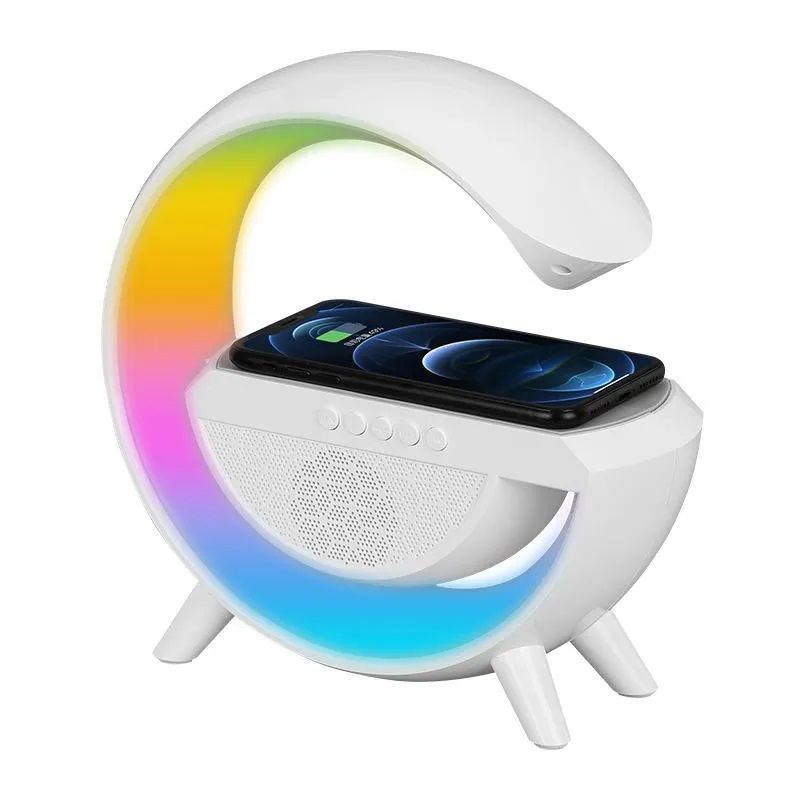
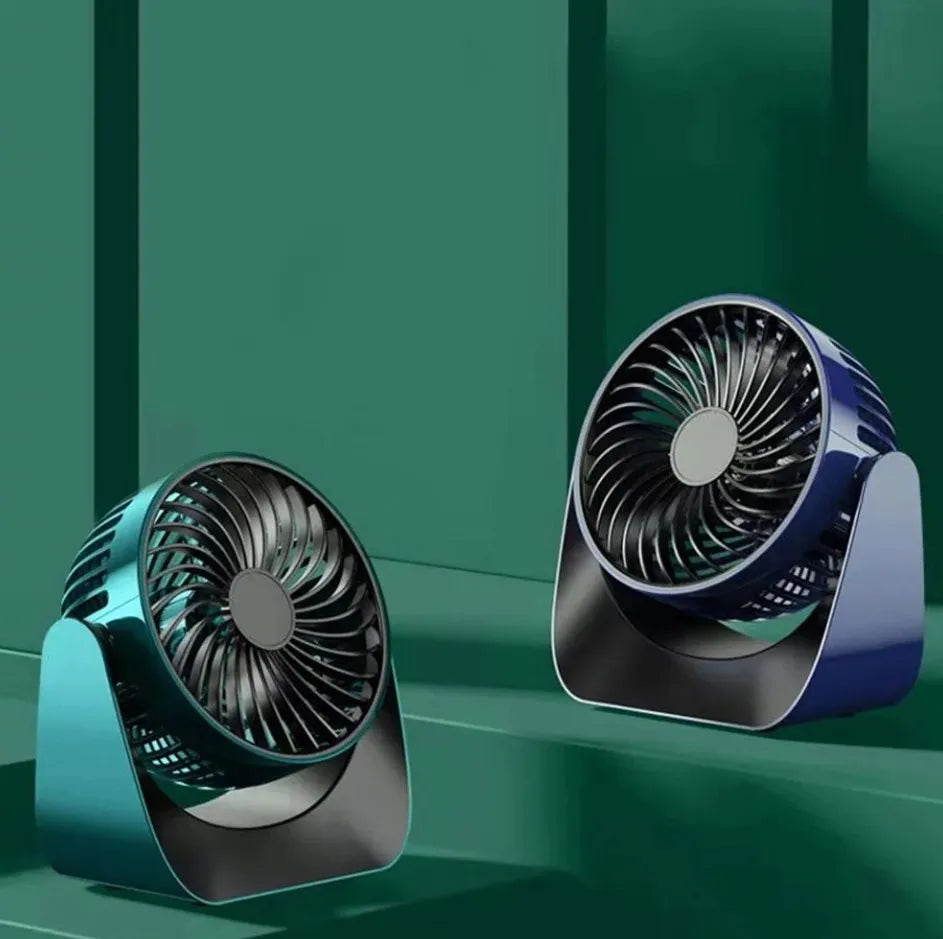
The Galaxy Star Projector Night Light is a bedroom light, the LED Wireless Charger Speaker combines charging with audio, and the 360° Rotate Desktop Fan handles personal airflow at a desk. Each has its own listing with details.
Frequently asked questions about a phone cooling fan
Does it work with any phone?
Clip-on designs are universal by nature, and this one is listed as compatible with all smartphone brands. The practical limit is physical size rather than brand: very large handsets and thick cases need jaws with enough range. Check the dimensions on the product page against the phone you actually use.
Will it damage my phone?
The two things to be careful about are clip pressure on a screen protector edge and moisture from condensation. Position the jaws away from a protector edge, and dry the back panel after a session in humid conditions. Handled that way, external cooling is gentler on a phone than repeatedly letting it run hot.
Is a phone cooling fan actually silent?
This model is listed with silent operation, which in practice means low enough to disappear under game audio or normal room noise. Any moving fan produces some sound, so expect quiet rather than absolutely nothing, and expect it to be more noticeable in a completely silent room.
Do I need a special charger for it?
Low power consumption means a standard USB source is normally sufficient, including a power bank or a laptop port. Using a separate power source rather than the phone itself is the better arrangement, because it keeps charging heat out of the handset you are trying to keep cool.
Can I use it while the phone is in a case?
A thin case is usually workable. Thick silicone and rugged cases insulate the back panel, which is the surface the cooler needs contact with, so results fall away sharply. If you use a heavy case, removing it for long sessions makes a bigger difference than any setting on the cooler.
Will it stop my games from lagging completely?
It addresses lag caused by heat, which is a common cause but not the only one. Network latency, background apps and the demands of the game itself are separate issues. If a game stutters from the first minute rather than after twenty, heat is probably not the explanation.
Used with a thin case, a separate power source and the plate sitting over the genuinely hot part of the handset, a phone cooling fan keeps long sessions consistent instead of letting them slide into stutter. Try the free measures first, then add cooling where it is still needed. The full listing is on the Mobile Phone Semiconductor Radiator Cooler page, and the wider range is in the Mobile & Accessories section. For background on how heat is shed from electronics, see heat sink.





Add comment