A usb desktop fan is a small, low-power fan that runs from a USB port instead of a wall socket, sitting close enough to point directly at the person using it. That proximity is the whole trick: a small fan aimed at you does more for comfort than a much larger fan trying to cool a whole room.
This guide explains why a usb desktop fan works better than its size suggests, what to look for when choosing one, where to place it, how to use oscillation properly, what USB power can and cannot supply, and how to keep it clean and quiet. There is a checklist at the end and answers to the questions people ask most.
Why a usb desktop fan works better than expected
The first thing to understand is that no fan lowers the temperature of the air. A fan moves air, and moving air feels cooler because it carries heat and moisture away from your skin faster than still air does. The thermometer does not move; your comfort does.
That distinction explains why proximity matters so much. Cooling a whole room requires displacing a large volume of air, which needs a big machine. Cooling a person only requires air moving across their skin, which a usb desktop fan sitting an arm’s length away does easily.
Efficiency follows from that. A small fan close by uses a fraction of the power of a large one across the room, and delivers more perceived cooling to the one person who actually wants it. This is why a usb desktop fan is one of the cheapest comfort upgrades available for a desk.
There is a concentration argument too. Being slightly too warm makes people restless and unfocused long before it becomes genuinely uncomfortable. A steady, quiet airflow removes that low-level distraction, which is why so many usb desktop fan owners keep one running at a low speed all day.
Finally, there is the power source itself. USB is now on laptops, monitors, power banks, wall adapters and car sockets, which means a usb desktop fan works essentially anywhere without hunting for a free wall socket or carrying a bulky adapter.
What makes a good usb desktop fan
Small fans look interchangeable in listings. In daily use, the differences below are what separate one you keep and one you unplug after a week.
Noise at the speed you will actually use
This is the most important single factor and the hardest to judge from a listing. Nearly every small fan is loud on maximum, so what matters is how quiet it is on its lowest useful setting. A usb desktop fan you cannot leave running during a phone call is a usb desktop fan you will stop using.
Speed settings
Three settings is the practical minimum. One low enough for background use all day, one moderate for a warm afternoon, and one strong for the worst part of the day. A single-speed fan is almost always either too weak or too loud.
Rotation and aiming
Being able to point the airflow precisely is what makes a small fan effective. Look for a head that tilts as well as turns, so you can aim slightly upward at your face or downward at your hands and keyboard, depending on where you feel the heat.
Base stability
A desk is a crowded place, and a light fan with a small base gets knocked over. A wide, weighted base that stays put when the head is at full tilt is worth more than any extra speed setting.
Cable and connector
Check the length of the lead and whether it is fixed or detachable. A detachable cable is far more convenient, because it can be replaced if damaged and swapped for a longer one if your only free port is behind a monitor.
Blade guard and safety
If children or pets are around, the spacing of the guard matters. Narrow gaps and a securely fixed front grille are basic requirements for any usb desktop fan that will sit at child height on a low table.
Ease of cleaning
Fans collect dust faster than almost any other object on a desk, because they pull air through themselves continuously. A guard that can be removed without tools makes cleaning a two-minute job instead of a job you never do.
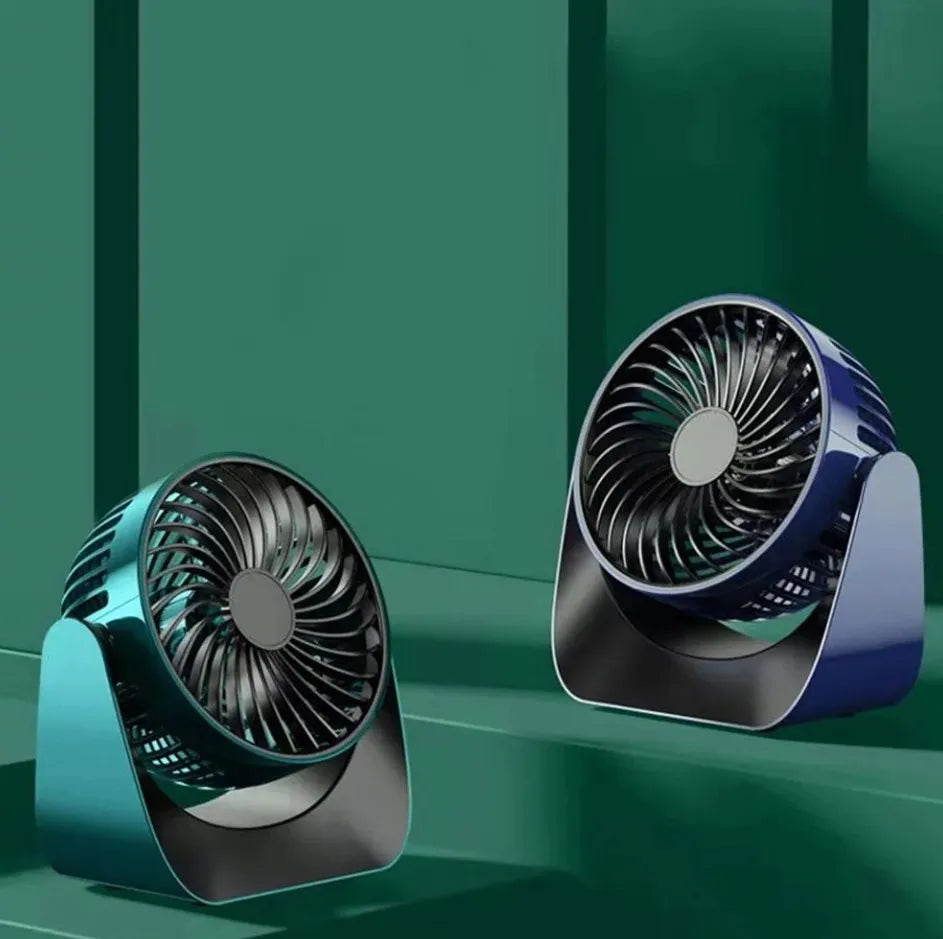
The WLD Store pick: 360 Rotate Desktop Fan
WLD Store lists this as a quiet USB personal fan. All of the following comes straight from the product listing:
- Category: Electronics.
- Brand: WLD. SKU: WLD-KSA-0091-(KD-023).
- Whisper-quiet motor with three speed settings.
- USB powered, intended for desk, office or bedroom use.
- Adjustable 360 degree rotation, described as covering the entire room.
- Compact and energy-efficient design.
- Available across Saudi Arabia including Riyadh, Jeddah and Dammam, with secure checkout.
Photographs and current availability are on the 360 Rotate Desktop Fan product page. For background on how fans move air and why blade design matters, the reference article on the fan as a machine is a clear explanation.
Where to place a usb desktop fan
Placement changes the result more than any setting does, and most people put small fans in the wrong place.
Aim for airflow across your upper body rather than straight into your face. A continuous blast at the face dries eyes and becomes irritating within an hour, whereas air moving across the neck, shoulders and forearms cools effectively without that. Position a usb desktop fan slightly to one side and angled inward.
Distance matters as well. Roughly an arm’s length is the sweet spot: close enough to feel a definite flow on a low setting, far enough that papers stay put and the noise is not right beside your ear.
Watch what is behind the fan too. A fan draws air from behind itself, so a usb desktop fan backed against a warm wall, a radiator or the exhaust vent of a laptop is recirculating the warmest air in the room. Give the intake side clear space and cooler air.
Getting the most from oscillation
Rotation is useful, but it is not always the right choice, and knowing when to switch it off is half the skill.
For one person at a desk, a fixed aim is usually better. A steady flow on your shoulders is more comfortable than a wave that arrives every few seconds, and the constant motion in peripheral vision distracts some people while they work.
Oscillation earns its place when more than one person is in the room, when you move around, or when the goal is stirring stagnant air rather than cooling a single person. Set a usb desktop fan to rotate in those situations and to hold still when you are seated.
What USB power actually supplies
Understanding the power source prevents the most common disappointments with any USB-powered device.
A standard USB port supplies a modest amount of power, which is exactly why these fans are compact and efficient rather than powerful. That is a design choice, not a shortcoming, but it does mean a usb desktop fan is a personal cooler and not a room fan, whatever any listing suggests.
Where you plug it in matters. A powered wall adapter or a monitor’s powered port generally gives a steadier supply than an unpowered hub shared with several other devices. If a fan seems weak, try a different port before concluding anything about the fan.
Running one from a laptop battery will shorten your unplugged working time, which is worth knowing before a long flight or a day without a socket. A power bank is the better choice for portable use, and pairs well with the low draw of a usb desktop fan.
Using one in a bedroom
Bedrooms are where the noise question becomes decisive, because a sound you barely notice at a desk is impossible to ignore at two in the morning.
Run it on the lowest setting and place it further away than you would at a desk, aiming to move air across the room rather than directly at the bed. Air blowing straight onto a face all night dries the throat and wakes people up.
Steady low airflow also masks intermittent noise from outside, which some people find genuinely helpful for sleep. If you use a usb desktop fan this way, plug it into a wall adapter rather than a laptop that will sleep and cut the power halfway through the night.
Working alongside air conditioning
A small fan is not a competitor to air conditioning; the two work well together and the combination is often cheaper than either alone.
Air conditioning cools the whole room but tends to leave pockets, particularly in corners and behind furniture. A usb desktop fan moves that cooled air to where you are sitting, which usually means you can set the thermostat a degree or two higher for the same comfort.
The other combination worth knowing is a fan with an open window in the cooler hours. Moving air through the room at night flushes out accumulated heat, and a usb desktop fan positioned to help that flow does useful work for very little power.
What quiet actually means
Noise is not just volume; it is character. A fan producing smooth, broadband air noise is far less intrusive than one producing a whine or a rattle at the same measured level.
Most noise from a small fan comes from three sources: air passing the blades, air hitting the guard, and vibration transmitted into the desk. The third is the one you can fix yourself, and it is often the loudest.
Standing a usb desktop fan on a mouse mat, a folded cloth or a cork coaster isolates it from the desk surface and frequently removes a surprising amount of noise. It costs nothing and takes a second to try.
Who it is not for
If you need to cool a room rather than a person, this is the wrong tool. No usb desktop fan moves enough air to change how a whole room feels, and expecting that guarantees disappointment.
It is also a poor fit for very dusty environments such as workshops, where a small fan pulls fine dust straight through itself and into the air around you. A sealed or filtered solution suits those rooms far better.
Desk fan, tower fan or neck fan
These three overlap, and choosing well depends on whether you sit still, move around, or need to cool a space.
A tower fan moves far more air and reaches a whole room, but it needs floor space and a wall socket, and it is considerably louder at the speeds that actually shift air.
A neck fan travels with you, which suits commuting and walking about. It is the least powerful of the three and needs recharging, but for anyone who is rarely seated it is the only one that works.
A usb desktop fan is the choice for anyone who spends hours in one place. It is the quietest of the three at the low settings people actually leave running, it needs no floor space, and it runs from whatever USB port is nearest.
Care and cleaning
Dust is the enemy, and a dusty fan is both noisier and less effective than a clean one.
- Unplug the fan before cleaning anything, every time.
- Wipe the outer guard weekly with a dry cloth or a soft brush.
- Remove the front guard monthly if the design allows and clean the blades individually.
- Use a barely damp cloth on the blades and let everything dry fully before reassembly.
- Never run water into the motor housing of a usb desktop fan or spray cleaner at it.
- Check the cable and connector for damage whenever you clean it.
Dust on blades unbalances them, which causes vibration, which causes noise and wear. Ten minutes of cleaning a month keeps a usb desktop fan quiet for years.
Common problems and quick fixes
- Airflow feels weak. Try a powered wall adapter instead of a shared hub port, and check the blades for dust.
- It rattles or buzzes. Usually vibration into the desk, or a guard that is not seated properly. Stand it on a cloth and reseat the guard.
- It stops when the laptop sleeps. Expected behaviour. Move a usb desktop fan to a wall adapter or power bank for continuous running.
- It tips over when tilted. The base is too light for the angle. Move it back from the edge and reduce the tilt.
All four are setup issues rather than defects. Power source and dust explain the great majority of complaints about any usb desktop fan.
Buying checklist
- Is the lowest speed quiet enough to leave running during a call?
- Are there at least three speeds, so you are not choosing between weak and loud?
- Does the head tilt as well as rotate, so you can aim it precisely?
- Is the base wide and stable enough for a crowded desk?
- Can the guard be removed for cleaning without tools?
Answer those five and you will end up with a usb desktop fan that is still on your desk next summer rather than in a drawer.
Beyond the desk: where else one earns its keep
Most of these fans are bought for a desk and then quietly migrate around the house, because anywhere with a USB port and a warm person is a reasonable home for one.
The kitchen is a common second posting. Standing over a hob in summer is one of the hottest jobs in the house, and a small fan on a nearby worktop, aimed across rather than at the pan, makes a real difference. Keep it well away from open flames and from anything that could be blown over.
Study and revision spaces are another. Long stretches of concentration in a small room get uncomfortable quickly, and a low, steady airflow keeps a stuffy box room usable for far longer than an open window alone manages.
Cars and vans benefit too, particularly for anyone waiting rather than driving. Many vehicles now have a USB socket in the cabin, and a small fan clipped or stood somewhere stable is useful while parked. It should never be positioned where it could come loose while the vehicle is moving.
Outdoor spaces work surprisingly well when paired with a power bank. A balcony, a shaded garden table or a camping chair all become more comfortable with moving air, and the low draw of a usb desktop fan means a modest power bank lasts a long evening.
The one habit worth building, wherever it ends up, is switching it off when you leave the room. A fan cools people, not spaces, so one running in an empty room is doing nothing at all except adding a small amount of heat from its own motor. Getting into that habit costs nothing and is the single easiest way to keep a usb desktop fan genuinely efficient.
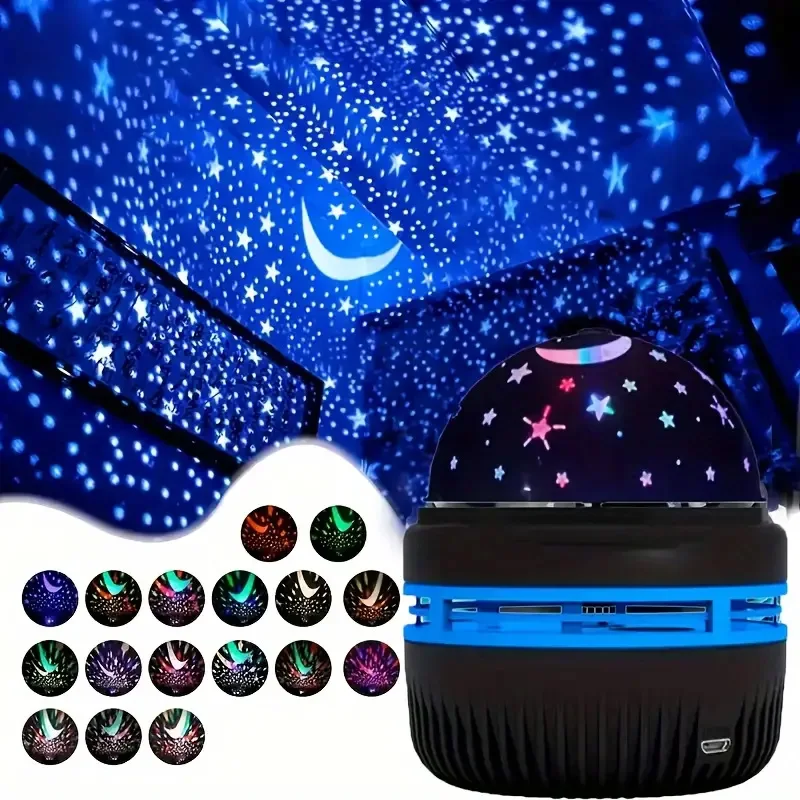
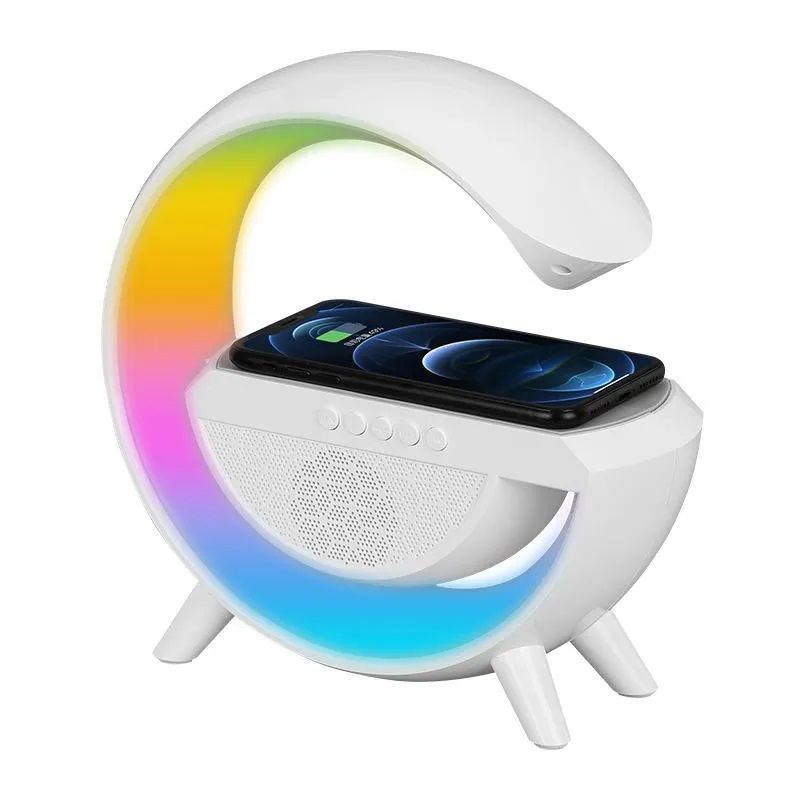
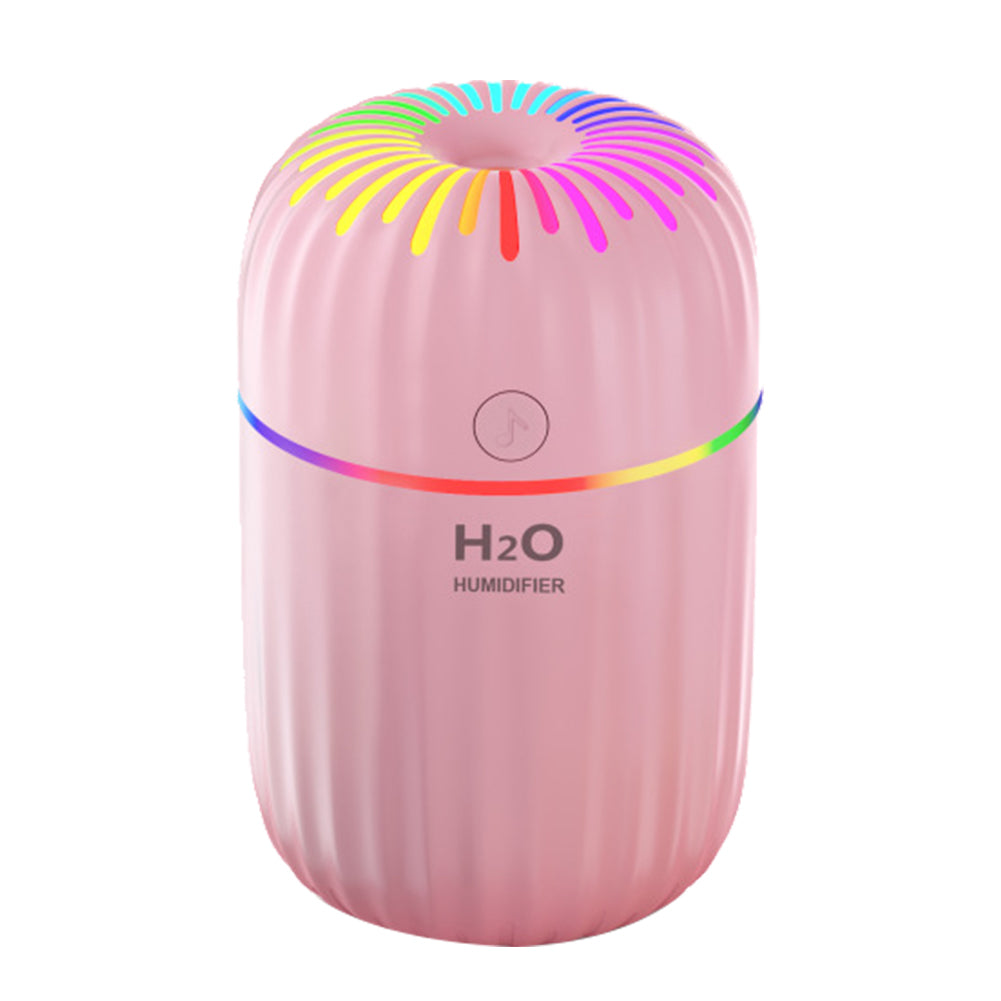
Other Electronics picks at WLD Store
Three more desk and bedroom items from the same section.
Frequently asked questions about a usb desktop fan
Does it actually cool the room down?
No fan lowers air temperature. What a usb desktop fan does is move air across your skin so heat and moisture leave faster, which feels considerably cooler even though the thermometer is unchanged.
Can I run it from a power bank?
Yes, and it is one of the better uses. The low power draw means a power bank runs one for a long time, which suits travel, outdoor work and anywhere without a socket.
Will it drain my laptop battery?
It will shorten unplugged running time, since the fan draws from the same battery. Use a wall adapter or a power bank when the laptop is not plugged in.
What does 360 degree rotation mean here?
The WLD listing describes adjustable rotation covering the entire room. In practice it means you can aim the airflow in any direction, and use rotation when several people need it or when stirring stagnant air.
Is it quiet enough for sleeping?
The listing describes a whisper-quiet motor, and on a low setting most small fans are suitable for a bedroom. Place it further away than you would on a desk and aim it across the room rather than at the bed.
How often should I clean it?
Wipe the guard weekly and clean the blades monthly. Dust unbalances blades and is the most common reason a usb desktop fan becomes noisy over time.
Placed an arm’s length away, aimed across the shoulders and left running quietly on a low setting, a usb desktop fan makes a warm room noticeably easier to work in for very little power. See the current listing on the product page, or browse more desk electronics in the Electronics section.





Add comment