A sim card smart watch is a wrist device with its own phone slot, which means it can place and take calls without a handset in your pocket. That single difference separates it from the majority of smartwatches on sale, and it changes who the watch is for. This guide explains how the category works, what to check before you buy, how to set one up, and where these watches genuinely beat a phone-tethered model. It also covers the DZ09 Sports Smart Watch with SIM Slot listed at WLD Store, plus a few nearby electronics picks.
No jargon dumps and no spec sheets invented out of thin air. Where a detail of a sim card smart watch depends on the exact model or on your carrier, this guide says so and tells you where to check.
What a sim card smart watch actually does
The defining feature of a sim card smart watch is the tray or slot that takes a mobile SIM. Fit an active SIM and the watch registers on a mobile network in its own right, with its own number. From there it can dial out, receive calls, and usually send and receive text messages, all without a phone nearby.
That is a genuinely different proposition from a mainstream fitness watch, which relays notifications from a paired handset and goes quiet the moment the phone is out of range. A sim card smart watch keeps working when the phone is at home, in a locker, or flat on the kitchen counter.
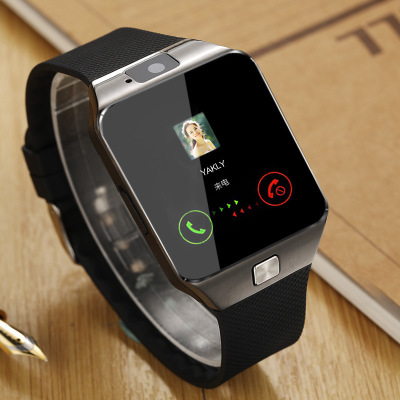
Most watches in this category also carry the familiar extras: a clock face you can change, an alarm, a step counter, a stopwatch and some form of activity tracking. The WLD Store listing for the DZ09 describes calling and fitness tracking from the wrist, which is the standard combination for the class.
What a sim card smart watch is not is a phone replacement for heavy users. Typing on a wrist screen is slow, browsing is cramped, and the battery in anything watch-sized is small. The value is in the specific moments when carrying a phone is impractical, not in replacing it outright. If you want the wider background on the technology in that little chip, Wikipedia has a solid overview of the subscriber identity module.
Standalone or paired: the choice that decides everything
Smartwatches split into two camps, and buying the wrong one is the most common mistake people make when shopping for a sim card smart watch.
A paired watch is an accessory. It connects to your phone over Bluetooth, mirrors your notifications, and borrows the phone’s connection for anything that needs data. It is simpler to set up, tends to last longer between charges, and is the right answer if your phone is always within a few feet of you.
A standalone watch, which is what a sim card smart watch is, runs its own connection. It needs a SIM, a plan and a number, and in return it works independently. That independence is the whole point for some people and pure overhead for others.
Consider who genuinely benefits. Runners, cyclists and swimmers who want to leave the phone behind but stay reachable. Parents who want a child contactable without handing over a full smartphone. Warehouse, site and hospitality workers whose phones live in a locker during a shift. Older relatives who find a watch easier to answer than a phone in a bag. If none of those describe you, a paired watch is probably the better buy, and you can browse the wider selection in the WLD Store shop.
What makes a good sim card smart watch
Once you have decided a standalone watch is right, a handful of details separate a sim card smart watch you wear daily from one that ends up in a drawer after two weeks.
Network compatibility comes first
This is the check people skip and then regret. Watches with SIM slots vary in which mobile network technologies they support, and networks in the USA have retired older standards on different timetables. Before ordering any sim card smart watch, look at the network bands listed on the product page and compare them against what your carrier actually runs today.
The reliable way to settle it is to ask the carrier directly, quoting the model name. Ask two questions: will this device register on your network, and can you supply a SIM for a device that is not a phone. Carriers answer both routinely, and a five-minute call before you order saves a lot of frustration.
SIM size and how the slot opens
SIM cards come in standard, micro and nano sizes, and eSIM has become common on newer phones. A physical slot needs a physical card, so if your spare SIM is an eSIM profile you will need the carrier to issue a plastic one. Check which size the slot on your chosen sim card smart watch takes, and whether an adapter is needed.
Look at how the slot is reached, too. Some designs hide it under the strap or behind the back plate, which means unclipping the band whenever you swap cards. That is fine if the SIM goes in once and stays, and irritating if you travel and change carriers often.
Battery expectations
A watch that holds an active mobile connection uses more power than one that simply listens for Bluetooth. Plan on charging a sim card smart watch daily, or close to it, and treat any longer run as a bonus. That is not a defect, it is physics: the case has room for a small cell and a live radio is thirsty.
Practical habits matter more than raw capacity. Dim the screen, shorten the screen timeout, turn off features you never look at, and put the watch on the charger during a fixed daily routine such as a shower or a commute so the habit sticks.
Comfort, weight and the strap
A watch you find uncomfortable will not get worn, no matter how capable it is. Weight is the biggest factor, followed by how the back sits against the wrist and how breathable the strap is. Anyone planning to train in a sim card smart watch should think about whether the strap can be rinsed and dried quickly.
Check whether the strap uses a standard quick-release pin, since that decides whether you can swap in a different band later. A cheap strap change often transforms how a watch feels.
Tracking features and what to expect from them
Step counting, distance estimates and sleep summaries on any wrist device are approximations, not laboratory readings. They are useful for spotting trends over weeks rather than judging a single day. Treat the numbers from a sim card smart watch as a rough guide, and if a specific health metric matters clinically, use equipment made for that purpose.
The WLD Store pick: DZ09 Sports Smart Watch with SIM Slot
Here is exactly what the WLD Store listing states for this model, with nothing added or assumed.
- Product: DZ09 Sports Smart Watch with SIM Slot
- Brand: WLD
- Category: Electronics
- In short: call, track fitness and more from your wrist with this classic smart watch
- Availability: available across the USA
- SKU: WLD-US-0009-(CJ-CJXFZNZN00023)
Photographs, the full specification as listed and secure checkout are on the DZ09 Sports Smart Watch product page. Read the listed network details there and confirm them with your carrier before ordering, since that is the one factor that decides whether a sim card smart watch will work for you.
Setting up a sim card smart watch
Setting up a sim card smart watch is more involved than pairing a Bluetooth-only model, but it is a fifteen-minute job if you have the pieces ready before you start.
- Charge it fully first. A partial charge during first boot is a common cause of odd behavior that looks like a fault.
- Have the SIM activated before it goes in. Activate the card in a phone or through the carrier’s site, confirm it can call, then move it across.
- Power off before inserting. Fitting a SIM to a running device is the usual reason a watch fails to see the card.
- Check for a network name on screen. If no carrier appears after a minute or two, the card, the slot or the network compatibility is the problem, in that order.
- Set the time zone and date. Many step and sleep features depend on a correct clock to bucket data properly.
- Test a call in both directions. Dial out, then have someone dial in, before you rely on the watch for anything that matters.
Once the basics work, spend ten minutes on the settings you will actually live with. Choose a watch face you can read at a glance in daylight, set the screen brightness low enough to be comfortable at night, and turn off any notification category that will buzz your wrist without earning it.
If a companion app is offered for the model you buy, install it from an official app store rather than a link in the packaging, and give it only the permissions it needs to do the job you want.
Getting the most from it day to day
A sim card smart watch earns its keep in specific situations rather than all day every day, so it helps to be deliberate about when you lean on it.
Use it as the phone you take running, walking the dog or running to the store, and leave the handset at home. Use it as a contact point during activities where a phone is at risk, such as cycling in the rain or working around water. Use it as the reachable device for a family member who does not want a smartphone. Outside those moments, a sim card smart watch can sit quietly on the charger without any guilt.
Keep a short list of favorite contacts on the watch rather than a whole address book. Wrist screens are small and scrolling is slow, so five or six numbers you might actually need in a hurry is far more useful than four hundred you will never dial.
If the watch will be a child’s contact device, agree the rules first: who they may call, what happens if the battery dies, and where the watch lives overnight. The technology is the easy part of that arrangement.
Care and maintenance
Wrist devices live a harder life than most electronics. A sim card smart watch gets knocked against door frames, sweated on, and worn in the rain, so a little routine care goes a long way.
Wipe the case and strap down every few days with a barely damp cloth, then dry it. Sweat and skin oils build up under the back plate and around the strap holes, and that build-up is what causes irritation and smell rather than anything wrong with the watch itself.
Keep water away from the SIM slot and the charging contacts. Unless a product page states a specific water rating, assume the watch is splash-tolerant at best. Do not shower, swim or wash dishes wearing a sim card smart watch that has no stated rating.
Clean the charging contacts with a dry cotton swab if charging becomes unreliable. Corrosion and grime on the pins are a far more common cause of charging trouble than a failed battery.
Store it somewhere dry if you stop wearing it, and give the battery a top-up every couple of months. Cells left completely flat for long stretches degrade faster, so a sim card smart watch you plan to keep as a spare still wants an occasional charge.
Common problems and quick fixes
Most complaints in this category trace back to four things, and none of them means the device is broken.
- No network or no service. Power the watch off, reseat the SIM, and confirm the card works in a phone. If the card is fine, the issue is almost always network compatibility rather than the watch.
- Callers say you sound distant. The microphone on a watch is small and sits far from your mouth. Raise your wrist closer when you speak, or pair a headset if the model supports one.
- Battery drops faster than expected. Screen brightness, screen timeout and constant notifications are the usual culprits. Trim all three before assuming a battery fault.
- The watch will not charge. Clean the contacts, try a different cable and a different power source, and make sure the charger is seated squarely. Magnetic and clip chargers slip more often than people realize.
Buying checklist for a sim card smart watch
- Have you confirmed with your carrier that this model will register on their network?
- Do you have, or can you get, a physical SIM in the size the slot takes?
- Are you comfortable charging it daily rather than weekly?
- Is the watch light enough that you will still be wearing it in a month?
- Do you actually need a separate number, or would a paired watch do the same job?
Five yes answers means a sim card smart watch will suit you. A no on the first question is a hard stop, and a no on the last one usually points to a simpler and cheaper device.
Travel, roaming and second SIMs
One underrated use for a sim card smart watch is travel. Dropping a local prepaid card into the watch gives you a working local number while your usual SIM stays in your phone for messages from home, which avoids the whole roaming question for calls.
It works in the other direction too. Leaving your everyday SIM in the watch and carrying a cheap handset with a travel card means the number your family knows still rings on your wrist, even when the phone is on a different network.
Two practical warnings. Check the network technologies used in the country you are visiting before assuming any device will register there, since coverage standards differ from the USA. And keep the tiny SIM tray tool, or a spare, somewhere safe in your luggage: swapping cards in a hotel room without one is a miserable job.
Who a sim card smart watch is not for
Being honest about the limits saves returns. If your phone is always in your pocket, the SIM slot adds cost and battery drain for a feature you will never use. A paired watch does the notifications and the step counting just as well.
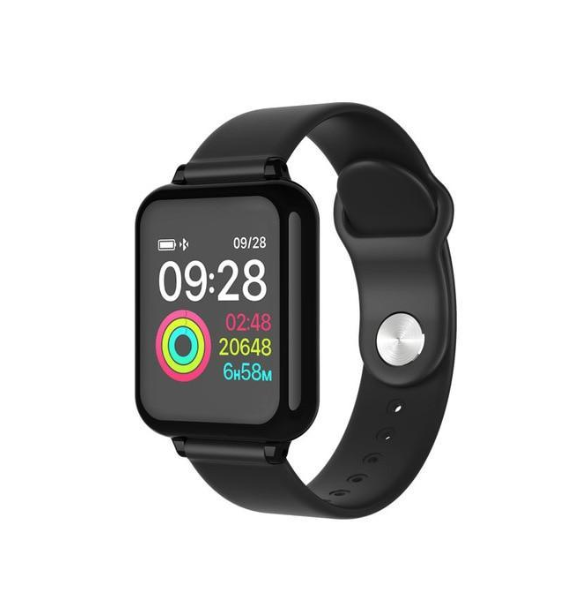
If you want serious training data, chase a device built around that, not around calling. Runners chasing accurate pace and heart rate figures are better served by a dedicated sports watch, and there is a straightforward one in the B57 color screen sports watch listing.
And if you dislike managing an extra line, an extra number and an extra bill, that friction will outweigh the convenience. A sim card smart watch adds a small amount of admin to your life, permanently.
Other electronics picks at WLD Store
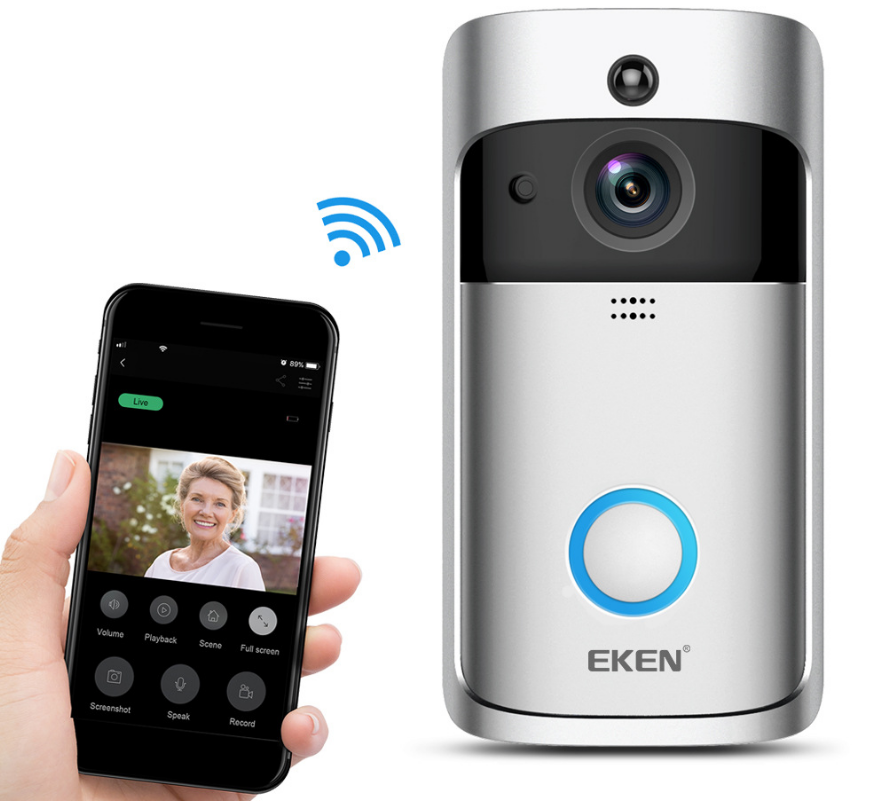
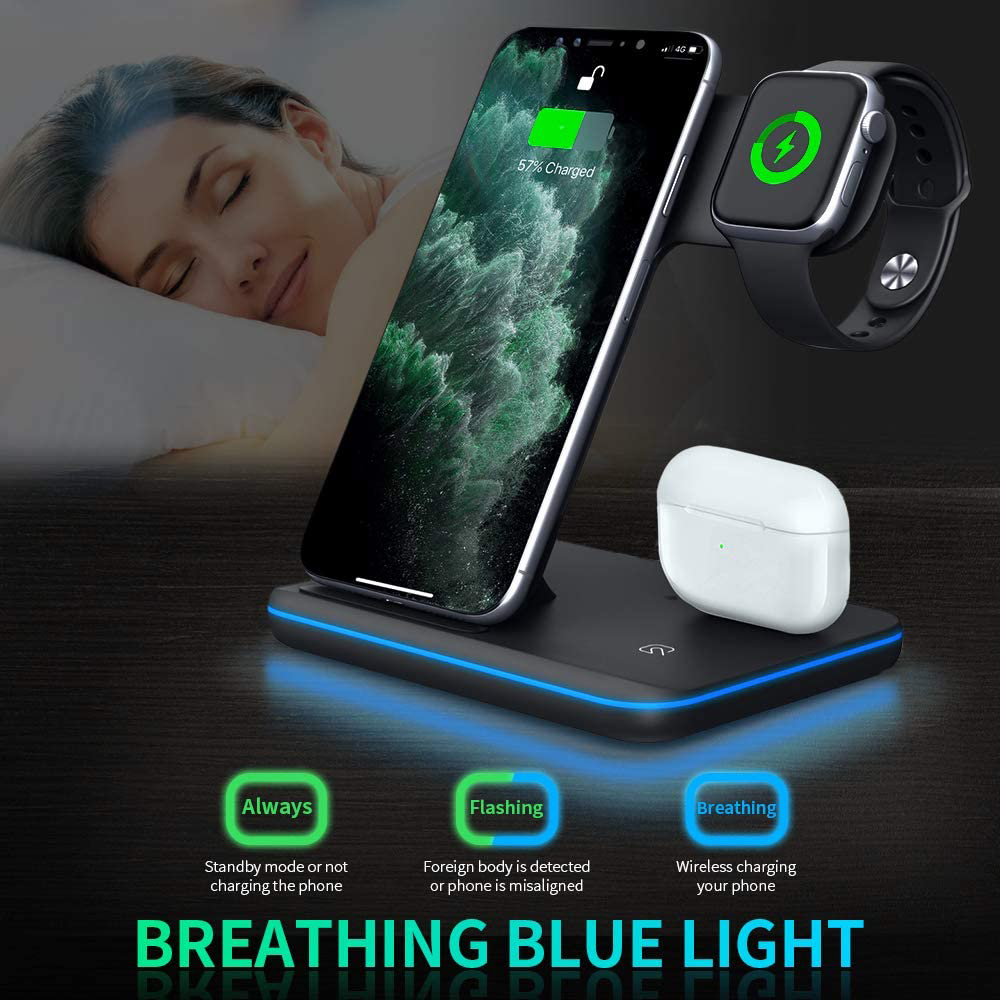
Three more from the same corner of the range, if you are outfitting a desk or a front door as well as a wrist.
Frequently asked questions about a sim card smart watch
Do I need a separate phone plan for a sim card smart watch?
The watch needs an active SIM with its own service, so yes, it needs a plan of some kind. Many carriers sell low-cost add-on lines for secondary devices, and prepaid options exist as well. Ask your carrier what they offer for a non-phone device, because the answer varies a great deal between providers and it is the running cost of a sim card smart watch rather than the purchase that surprises people.
Can I use my existing number on the watch?
Only by moving the SIM out of your phone and into the watch, which leaves the phone without service. Some carriers offer number sharing across devices, but support for that on a watch with a physical slot is inconsistent. Assume a second number unless your carrier confirms otherwise.
Will a sim card smart watch work without a SIM inside?
Generally yes, with reduced functions. Without a card you typically keep the clock, alarms, stopwatch and step counting, and lose calling and messaging. Some models also connect to a phone over Bluetooth for notifications, which makes them usable as a paired watch until you fit a SIM.
Is a watch like this suitable for a child?
It can be a reasonable middle step between no device and a full smartphone, because the screen is small and the temptations are limited. Set expectations about who they can call and where the watch charges overnight. Also check with the school, since policies on wearable devices in class differ widely.
How long should the battery last?
It depends heavily on how much the screen is on and how often the mobile radio is active, so a single figure would be misleading. Plan on charging daily. If you need multi-day endurance from a single charge, a standalone calling watch is the wrong category to shop in.
What should I check before ordering one?
Network compatibility with your carrier, the SIM size the slot accepts, and whether you are willing to charge it every day. Those three answers decide satisfaction more than any feature list. Everything else on a sim card smart watch is a preference rather than a deal breaker.
A sim card smart watch is a niche device that is excellent inside its niche and frustrating outside it. If leaving your phone behind while staying reachable sounds genuinely useful, it is worth the setup and the daily charge. You can see the model discussed here on its product page, and the rest of the electronics range is in the Electronics section. Call your carrier first, though, before anything else.




Add comment